

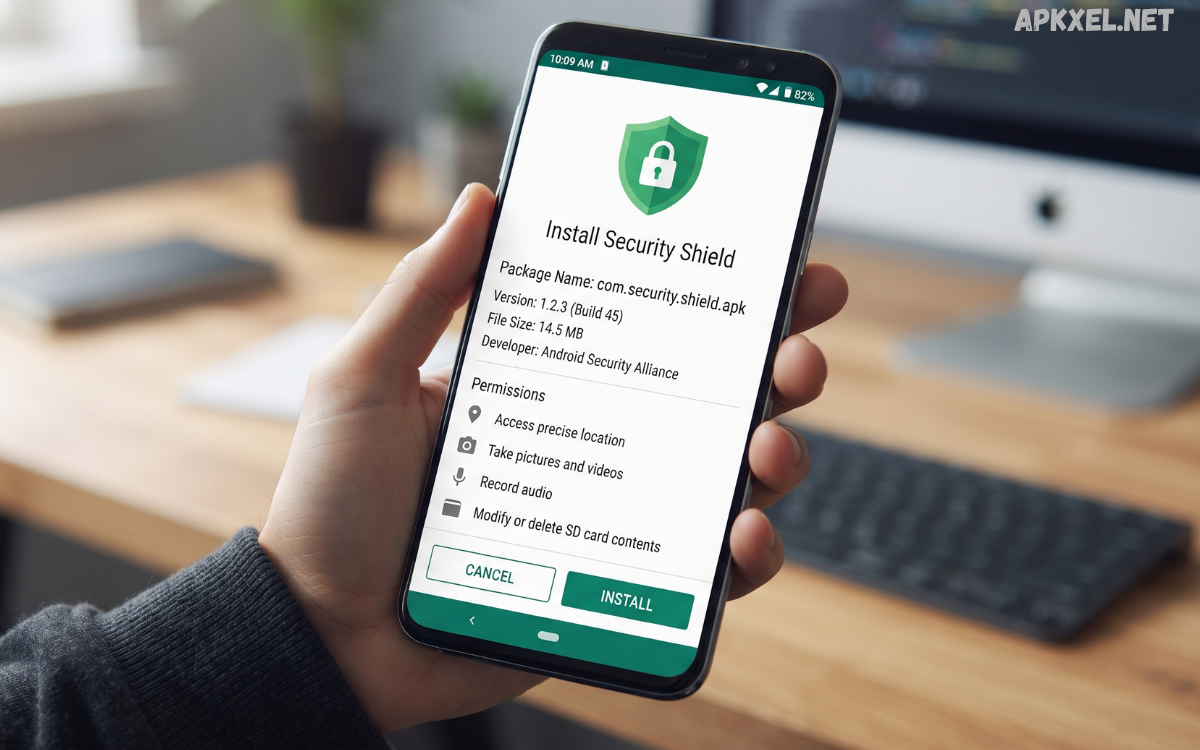
Android devices have become an essential part of everyday life, storing personal photos, messages, documents, account information, and other valuable data. As mobile technology continues to evolve, protecting this information has become increasingly important.
With thousands of applications available for Android, users should pay close attention to where APK files come from and what permissions they request. Installing an APK from an unknown or unreliable source can create unnecessary security risks, particularly when the application has access to sensitive information.
What Is an Android Security APK?
APK stands for Android Package Kit, the file format used to distribute and install applications on Android devices. An Android security APK is therefore an APK package containing an application intended to improve device security or protect users from potential digital threats.
Security applications can perform different functions depending on their design. Some focus on malware detection, while others concentrate on privacy, secure browsing, password management, device optimization, or suspicious activity monitoring..
Why Android Security Matters
Smartphones contain a large amount of personal information. A compromised device could potentially expose photographs, messages, documents, contacts, accounts, and other private information.
Security threats can include malicious applications, phishing attempts, unsafe websites, fraudulent messages, unauthorized access, and outdated software vulnerabilities. Users can reduce these risks by following basic security practices.
Malware Scanning
Malware scanning checks applications and files for known or suspicious threats. A reputable security application may scan newly installed applications as well as existing files.
Regular scanning can help identify potentially unwanted software and provide users with information about detected risks.
Real-Time Protection
Some security applications provide real-time monitoring. Instead of waiting for a manual scan, the application may monitor certain activities and warn users when suspicious behavior is detected.
Real-time protection can be particularly useful for users who frequently download applications or interact with unfamiliar files.
Privacy Monitoring
Privacy-focused features can help users understand which applications have access to sensitive device functions. Depending on the application, privacy tools may identify apps that request access to the camera, microphone, contacts, location, or storage.
Reviewing these permissions regularly can help users maintain better control over their personal information.
Safe Browsing
Some Android security applications include tools designed to identify potentially dangerous websites or suspicious links. These features can help users recognize phishing pages and other online threats before interacting with them.
However, users should still examine links carefully and avoid entering passwords or financial information on unfamiliar websites.
App Permission Management
Android provides built-in permission controls, allowing users to review and manage application access. Security applications can sometimes make this information easier to understand.
If an application requests access that does not appear necessary for its main purpose, users should carefully consider whether that permission should be granted.
Benefits of Using Android Security Apps
One major benefit of a security application is improved awareness. Users can receive warnings about suspicious files, applications, websites, or activities.
Security tools can also simplify routine protection. Instead of manually checking every application or file, automated security features can assist with regular monitoring.
How to Choose a Safe Android Security APK
Choosing the right Android security APK requires careful evaluation. The first consideration should be the application’s developer and source.
Whenever possible, users should obtain applications through reputable distribution channels and verify that the application comes from the legitimate developer.
Android Security APK and Third-Party Downloads
APK files can be useful when an application is unavailable through a user’s normal app marketplace. However, downloading APK files from third-party websites requires additional caution.
A file can be renamed or repackaged, making its filename alone an unreliable indicator of safety. Users should verify the source and developer before installing an APK.
Permissions You Should Review
Permissions determine what an application can access on an Android device. Depending on the application, permissions may include access to location, contacts, camera, microphone, files, notifications, or other features.
Before installing an Android security APK, review its requested permissions and ask whether they make sense for the application’s purpose.
Read Also: Android Finance Trackers: Manage Your Money Smarter in 2026
Keep Android Updated
A security application cannot replace operating-system updates. Android updates can include important security patches that address vulnerabilities affecting the operating system and related components.
Users should install legitimate updates when they become available for their device. Applications should also be updated regularly because outdated software may contain security weaknesses or compatibility problems.
Avoid Fake Security Applications
Cybercriminals can sometimes create applications that appear to be legitimate security tools. These apps may use professional-looking names, logos, or claims to convince users that their devices are infected.
A fake security application may generate unnecessary warnings and encourage users to take actions that are not actually required.
Android Security Best Practices
Installing a security application is only one part of a complete security strategy. Android users should also follow several basic practices.
Use a strong screen lock and avoid sharing authentication information. Enable additional account-security features when available. Be careful with links received through messages, social networks, or email.
Common Mistakes to Avoid
One common mistake is assuming that every APK file available online is safe. The APK format simply describes an Android application package; it does not guarantee that the application is trustworthy.
Another mistake is granting every requested permission without reading the prompts. Users should understand why an application needs access before approving sensitive permissions.
Frequently Asked Questions
What is an Android security APK?
An Android security APK is an Android application package containing software designed to provide security-related features such as malware scanning, privacy monitoring, or safe browsing.
Is every Android security APK safe?
No. The APK format itself does not guarantee safety. Users should verify the developer and download source before installation.
Can a security APK protect my phone from every threat?
No security application can guarantee complete protection. A combination of reputable security tools, updates, privacy controls, and safe online behavior provides stronger protection.
Should I download security APKs from unknown websites?
It is generally safer to use reputable and official distribution channels. Unknown websites can present additional risks.
Why are app permissions important?
Permissions determine what device features and information an application can access. Reviewing them helps users maintain control over their privacy.
Does Android already include security features?
Yes. Modern Android devices include built-in security and privacy features. A third-party security application can provide additional capabilities, depending on the user’s needs.
How often should I update my security application?
Keep security applications updated whenever legitimate updates are available. Updates can improve detection, performance, compatibility, and security.
Are modified security APKs safe?
Modified APKs should be treated cautiously because changes made by third parties can introduce unexpected behavior or security risks.
What should I do if an APK seems suspicious?
Do not install it if you have doubts about its source or authenticity. If it has already been installed, consider removing it and reviewing your device’s security settings.
Can security apps improve privacy?
Some security applications provide privacy monitoring and permission-management tools. However, users should still review permissions and privacy settings themselves.
Conclusion
An Android security APK can be a useful component of a broader mobile security strategy, especially when it provides reputable malware detection, privacy monitoring, safe browsing, or other protective features. However, the APK format alone does not indicate whether an application is trustworthy.
The safest approach is to verify application sources, review permissions, install software from reputable channels, keep Android updated, and remain cautious about suspicious links and downloads.
