

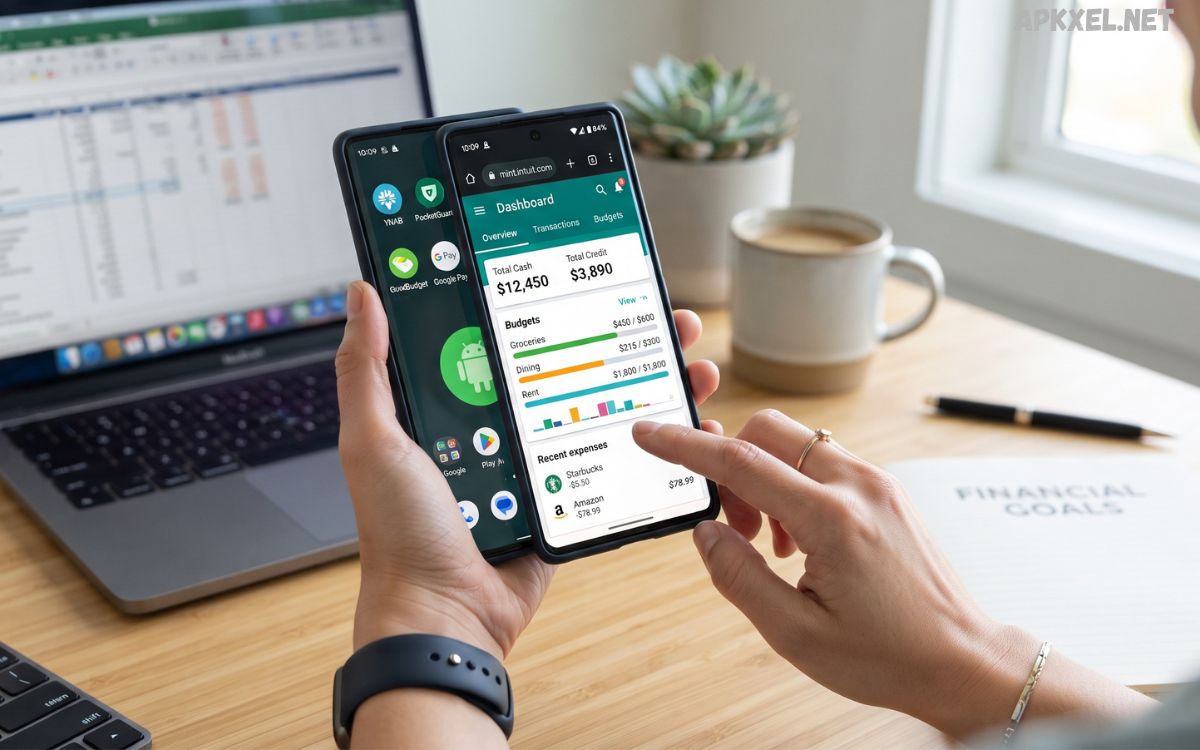
Managing personal finances has become easier with the help of mobile technology. Instead of recording expenses manually or trying to remember where money was spent, users can now rely on Android finance trackers to organize their income, expenses, budgets, savings, and financial goals from a smartphone.
In 2026, finance-tracking apps are becoming more advanced, with features such as automated expense categorization, customizable budgets, spending reports, reminders, synchronization, and improved security.
What Are Android Finance Trackers?
Android finance trackers are mobile applications designed to help users record, organize, and analyze personal financial activity. Depending on the app, users may be able to enter income and expenses manually, connect supported financial accounts, create budgets, monitor bills, categorize purchases, and track progress toward savings goals.
Most finance trackers organize transactions into categories such as groceries, transportation, entertainment, education, utilities, shopping, and other everyday expenses. This makes it easier to identify where money is going over time.
Why Use Android Finance Trackers?
One of the biggest advantages of Android finance trackers is convenience. Your smartphone is usually available throughout the day, allowing you to record an expense soon after making a purchase.
Regular tracking can also improve financial awareness. Small purchases may not seem significant individually, but reviewing them together can reveal spending patterns that are easy to overlook.
Finance trackers can help users:
- Monitor daily and monthly expenses
- Create realistic spending limits
- Organize transactions into categories
- Track income and recurring payments
- Set savings targets
- Review spending trends
- Identify unnecessary expenses
- Plan upcoming financial commitments
The goal is not simply to collect numbers. The real value comes from using financial information to make informed decisions.
Key Features to Look For
Expense Tracking
Expense tracking is the foundation of most finance applications. A quality tracker should make it quick and straightforward to record purchases and assign them to appropriate categories.
Some apps allow users to add notes, dates, payment methods, and custom categories. This additional information can make financial reports more useful.
Budget Management
Budgeting features allow users to establish spending limits for different categories. For example, you might create separate monthly budgets for food, transportation, entertainment, and shopping.
A useful budget system should show how much has already been spent and how much remains available. This provides a clearer picture of whether spending is staying within planned limits.
Income Tracking
Tracking income alongside expenses provides a more complete view of personal finances. Users can record regular income as well as other legitimate sources of money and compare them with monthly expenses.
This information can help with planning because a budget based only on expenses does not show the full financial picture.
Spending Reports
Charts and reports can turn transaction data into understandable information. Instead of reviewing individual purchases, users can examine total spending by category or compare different periods.
Monthly reports may reveal changes in spending habits and help users decide where adjustments could be useful.
Savings Goals
Many Android finance trackers include goal-setting tools. Users can establish targets for future expenses or savings and monitor progress over time.
Breaking a larger goal into smaller milestones can make saving easier to understand and maintain.
Bill and Payment Reminders
Reminder features can help users keep track of recurring financial commitments. Notifications may be useful for remembering upcoming bills, subscriptions, or other planned payments.
However, reminders should complement—not replace—careful financial planning.
Automated Expense Categorization
Modern finance applications increasingly use automation to reduce manual work. Depending on the specific app and available integrations, transactions may be categorized automatically according to merchant or transaction information.
Automation can save time, but users should still review categories regularly. An incorrectly categorized transaction can affect budget calculations and reports.
Security and Privacy
Financial information is sensitive, so security should be an important consideration when choosing a finance tracker.
Before using an application, review its privacy policy and understand what information it collects, why it collects that information, and whether data is shared with third parties. Check whether the app offers security features such as device authentication, encryption, secure synchronization, or additional account protection.
Manual Tracking vs. Account Synchronization
Android finance trackers generally use one of two approaches: manual entry or connected-account synchronization.
Manual tracking gives users more control over what information is recorded. It can also be useful for people who prefer not to connect financial accounts to third-party applications. The disadvantage is that it requires consistent effort.
Read Also: Android Shopping Apps: The Best Apps for Smarter Online Shopping in 2026
How to Choose the Best Android Finance Tracker
Choosing among Android finance trackers can be difficult because different apps target different needs. Start by identifying what you actually want to accomplish.
If you only need to record daily expenses, a simple tracker may be enough. If you want detailed budgeting, savings goals, recurring-payment management, and reports, you may benefit from a more comprehensive application.
Consider the following factors:
- Ease of use
- Budgeting tools
- Expense categories
- Reporting features
- Savings goals
- Reminder functionality
- Data security
- Privacy practices
- Synchronization options
- Availability of important features in the free version
- Subscription costs
- Customer support and update history
A visually impressive application is not automatically a good finance tracker. Reliability, transparency, and usability should take priority.
Benefits for Students and Young Adults
Finance trackers can be particularly useful for people who are beginning to manage their own budgets. Students and young adults may have several competing expenses, including transportation, food, education, entertainment, and subscriptions.
A tracker can provide a simple overview of spending and encourage better financial awareness. Rather than focusing on complicated financial strategies, beginners can start by recording income and expenses consistently.
Managing Subscriptions
Digital subscriptions can become easy to overlook because payments are often recurring. A finance tracker with recurring-payment or subscription features can help users maintain a list of regular expenses.
Reviewing these payments periodically can reveal services that are no longer needed. Before canceling anything, users should check the relevant service’s terms and billing conditions.
Using Finance Trackers for Better Budgeting
A finance tracker works best when it becomes part of a regular routine. Start by recording income and essential expenses. Next, identify flexible spending categories and establish reasonable limits.
Review the budget weekly rather than waiting until the end of the month. If one category is consistently higher than expected, adjust the plan based on actual spending instead of creating unrealistic targets.
Common Mistakes to Avoid
Even the best Android finance trackers cannot guarantee good financial decisions. Users can still make mistakes when interpreting or entering information.
One common mistake is failing to record cash purchases. Another is ignoring small recurring payments because each individual amount appears insignificant.
Are Free Android Finance Trackers Worth Using?
Free finance trackers can be useful for basic budgeting and expense management. However, free versions may limit certain features, display advertisements, or offer optional paid upgrades.
Before choosing an app, compare the features that are actually available without payment. If an essential function requires a subscription, consider whether that cost provides enough value for your needs.
Tips for Getting Better Results
To get the most from Android finance trackers, consistency matters more than complexity.
Record transactions regularly, review your budget each week, and check monthly reports for patterns. Set realistic goals and make gradual adjustments instead of attempting to change every spending habit at once.
Frequently Asked Questions
What are Android finance trackers?
Android finance trackers are mobile apps that help users record expenses, monitor income, create budgets, analyze spending, and manage financial goals.
Are Android finance trackers safe?
Safety depends on the specific application. Users should review privacy policies, permissions, security features, developer information, and update history before providing financial information.
Can finance trackers automatically record expenses?
Some applications support automatic transaction imports through compatible financial connections. Availability varies by app, financial institution, account type, and region.
Can I use a finance tracker without connecting my bank account?
Yes. Many finance trackers support manual transaction entry, allowing users to manage budgets without linking external financial accounts.
Are free finance trackers useful?
Yes. Free apps can provide useful expense tracking and budgeting features, although some advanced functions may require payment.
How often should I check my finance tracker?
A wxveekly review is a practical starting point. A monthly review can then provide a broader view of spending patterns and progress toward financial goals.
Can finance trackers help with saving money?
They can help by showing spending patterns, setting savings targets, and creating budgets. However, the app itself does not save money automatically; users still need to make the financial decisions.
Should I track cash expenses?
Yes. Recording cash purchases can provide a more complete picture of spending and make budget reports more accurate.
What is the most important feature in a finance tracker?
There is no single feature that works for everyone. Ease of use, accurate tracking, useful budgeting tools, privacy, and security are generally important factors.
How do I choose an Android finance tracker?
Identify your needs first, then compare budgeting tools, expense tracking, privacy practices, security features, synchronization options, pricing, and ease of use.
Conclusion
Android finance trackers have become practical tools for organizing everyday financial information. By bringing expense tracking, budgeting, reports, savings goals, and reminders together on a smartphone, these applications can make personal financial management more convenient and understandable.
The best app depends on individual requirements. Some users may prefer simple manual expense tracking, while others may want automation and detailed financial reports.
