

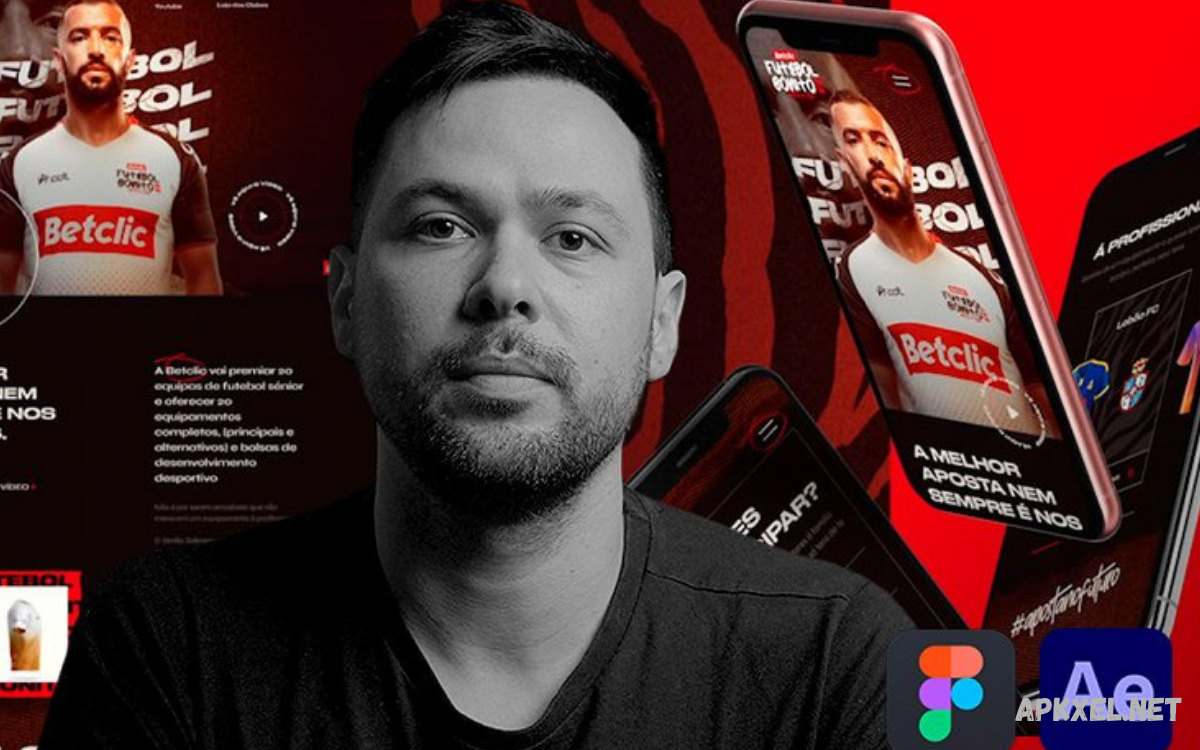
Art direction secrets for creating unique web experiences help designers transform ordinary websites into memorable digital destinations.
Modern web design goes beyond attractive layouts and fashionable colors. Successful art direction establishes a consistent visual language, guides user attention, supports website usability, and turns browsing into an engaging experience.
Understanding Art Direction in Web Design
Art direction defines and guides a website’s overall visual identity. It determines how colors, fonts, photographs, illustrations, animations, and layouts work together to communicate a particular message.
For example, a luxury fashion website may use elegant typography, generous whitespace, and editorial photography to communicate sophistication. A gaming website might feature energetic colors, dramatic illustrations, and dynamic transitions.
Why Unique Web Experiences Matter
A unique web experience gives visitors a reason to remember a website after leaving it. In competitive digital environments, recognizable visuals and thoughtful interactions can help businesses communicate their identity more effectively.
However, uniqueness should never come at the expense of usability. Visitors still need intuitive navigation, readable text, accessible controls, and fast-loading pages.
Establish a Clear Creative Vision
Every successful art direction project begins with a clear creative vision. Before choosing colors or creating layouts, designers should understand the website’s purpose, target audience, brand values, and desired emotional response.
A creative vision can be documented through a short design brief describing the brand personality, visual references, communication goals, and intended user experience. Designers can also define three or four guiding adjectives, such as bold, welcoming, futuristic, or refined.
Build a Distinctive Visual Identity
A distinctive visual identity helps visitors recognize a website across different pages and devices. It includes the visual elements that communicate a brand’s personality, such as its color palette, typography, imagery, iconography, illustration style, and overall composition.
Developing a visual identity requires more than copying popular design trends. Designers should identify what makes the brand different and translate those qualities into visual decisions.
Use Color to Shape Emotion
Color influences how visitors perceive a website and interpret its message. Warm colors can communicate energy and excitement, while cooler palettes may suggest calmness, clarity, or professionalism.
An effective color system includes primary, secondary, background, and accent colors with clearly defined roles. Designers should also consider contrast, accessibility, and cultural differences when selecting colors.
Create a Memorable Typography System
Typography is one of the most powerful tools for establishing a website’s character. Typeface selection, font weight, line spacing, letter spacing, and text size influence both visual appearance and readability.
A practical typography system assigns specific roles to headings, body text, captions, buttons, and supporting information. A consistent hierarchy helps visitors scan content and understand what deserves attention.
Master the Art of Visual Hierarchy
Visual hierarchy organizes website content according to importance. Designers use scale, contrast, spacing, positioning, and typography to guide visitors toward key messages and actions.
Start by identifying the primary action or message on each page. Give it appropriate prominence through headline size, contrast, placement, or surrounding whitespace. Keep secondary content visible without competing unnecessarily for attention.
Use Whitespace with Intention
Whitespace refers to the empty space surrounding text, images, buttons, and other interface elements. It gives content room to breathe, separates related sections, and helps visitors process information.
Whitespace does not need to be white, nor does it require minimal content. It can appear as spacing between paragraphs, margins around photographs, gaps between cards, or open areas within a composition.
Develop Original Layout Compositions
Layout determines how information and visual elements relate on a webpage. Conventional grids provide structure, but art direction lets designers introduce unexpected compositions when they support the content.
Begin with a reliable layout foundation, then identify areas where creative variation can strengthen the experience. An editorial portfolio might benefit from oversized photographs and staggered text blocks, while a software product page may need a more structured arrangement.
Tell Stories Through Visual Content
Visual storytelling transforms website content into a coherent narrative. Photographs, illustrations, graphics, and supporting text can introduce a problem, reveal a solution, and communicate a product’s or service’s value.
Choose images that support the story rather than selecting them solely because they look attractive. Consider the subject, composition, lighting, context, and emotional tone of every visual asset.
Choose Images That Strengthen the Brand
Images often create a website’s first emotional impression. High-quality photography and thoughtful illustrations can make a brand feel authentic, approachable, premium, or innovative.
Whenever possible, use original photography, commissioned illustrations, custom graphics, or carefully curated image collections. If stock imagery is necessary, apply a consistent selection process based on composition, color, subject matter, and relevance.
Make Motion Part of the Art Direction
Animation can add personality, communicate transitions, and make digital interfaces feel more responsive. Subtle movement can guide attention to important content, reveal supporting information, or help users understand relationships between interface states.
Avoid adding animation simply to make a website appear modern. Excessive movement can distract visitors, slow interactions, and create accessibility problems.
Design Interactive Experiences with Purpose
Interactive design gives visitors opportunities to explore information rather than passively view it. Hover effects, expandable sections, product configurators, interactive galleries, and carefully designed navigation elements can make websites more engaging.
Each interaction should communicate what happens next and provide clear feedback when activated. Buttons need recognizable states, navigation should remain predictable, and interactive elements must work with keyboard controls and assistive technologies.
Create an Effective Hero Section
The hero section often introduces the website’s central message and establishes its visual atmosphere. It may contain a headline, supporting copy, a primary action, and a prominent image or graphic.
Avoid overcrowding the hero with competing messages, multiple calls to action, or oversized decorative elements. Instead, create a clear focal point supported by appropriate typography, imagery, and whitespace.
Balance Creativity with Usability
Creative art direction should improve the user experience, not make ordinary tasks harder. Unusual navigation, decorative typography, unconventional scrolling, and experimental layouts can communicate originality, but they may frustrate visitors when familiar controls become difficult to recognize or use.
A useful approach is to keep essential interactions predictable while experimenting with decorative or editorial elements.
Design for Mobile and Responsive Screens
Responsive design keeps art direction effective across desktops, tablets, and smartphones. A composition that looks impressive on a large monitor may feel crowded on a narrow screen, especially when it relies on overlapping images, large typography, or complex multi-column layouts. Each layout must adapt without losing its visual identity.
Designers should define how typography, spacing, images, navigation, and interactive elements behave responsively. Some decorative details may need to disappear on smaller screens, while other elements require repositioning or resizing.
Use Grid Systems Without Losing Creativity
Grid systems establish relationships between columns, margins, and content areas. They help designers create consistent alignment, balanced compositions, and predictable spacing throughout a website.
Creativity emerges when the grid becomes a flexible foundation rather than a rigid limitation. Designers can introduce full-width images, offset elements, overlapping components, or asymmetrical sections while maintaining underlying alignment principles.
Develop a Consistent Design System
A design system documents reusable visual components, interface patterns, typography rules, colors, spacing values, and interaction states. It helps teams maintain a consistent experience while reducing the effort required to design and develop additional pages.
Start with essential tokens such as brand colors, type scales, spacing units, borders, and shadows. Then establish reusable components for buttons, navigation, cards, forms, and other repeated interface elements.
Explore Editorial Design Principles
Editorial design offers valuable inspiration for websites that depend on storytelling, photography, and carefully structured written content. Magazine layouts often combine expressive headlines, strong image selection, varied column widths, and deliberate whitespace.
To apply editorial principles effectively, consider how headlines, body copy, images, captions, and supporting information relate. Varying scale and composition can create rhythm as visitors move through a page.
Create Atmosphere Through Texture and Depth
Texture and depth can make a digital interface feel tactile, layered, and visually rich. Subtle grain, paper-inspired backgrounds, gradients, shadows, borders, and overlapping surfaces can reinforce a particular art direction.
The most effective approach uses texture selectively. Too many effects can compete with content, add visual noise, and increase rendering costs.
Apply Gradients and Lighting Thoughtfully
Gradients offer a flexible way to introduce color transitions, create atmospheric backgrounds, and guide attention. With carefully controlled lighting effects, they can create depth without requiring complicated illustrations or heavy visual assets.
To keep gradients intentional, choose colors that complement the established palette and maintain enough contrast with foreground content. Avoid applying identical effects to every component, as repetition can reduce their visual impact.
Use AI Tools Without Losing Creative Identity
AI-powered design tools can generate visual references, explore color combinations, create initial moodboards, and speed up early-stage experimentation. They can also support image editing, background generation, and developing alternative concepts.
However, AI-generated content should support a clear creative vision rather than replace it. Review generated images for visual inconsistencies, originality, licensing considerations, and alignment with brand values.
Read Also: Learn UI Design with Figma from Scratch: A Complete Beginner’s Guide
Study Competitors Without Copying Them
Competitor research helps designers understand common visual patterns, audience expectations, and opportunities for differentiation. Reviewing successful websites can reveal useful approaches to navigation, typography, color, page structure, and storytelling.
Create a reference board that separates useful design principles from other brands’ specific visual execution. For example, you might appreciate a competitor’s strong hierarchy while developing a completely different color system and image style.
Improve Website Performance Without Sacrificing Design
Visual quality depends partly on technical performance. Large image files, unnecessary animation libraries, excessive scripts, and complex effects can slow page loading and interrupt the browsing experience.
Optimize images using suitable formats and responsive sizes, load nonessential media when appropriate, and minimize unnecessary code. Use animation techniques that avoid expensive layout changes, and test pages on realistic mobile connections.
Make Accessibility Part of Art Direction
Accessibility helps ensure that more people can understand and use a website. Visual design decisions influence accessibility through color contrast, font sizing, reading order, motion, focus indicators, and the clarity of interactive controls.
Provide sufficient contrast, readable typography, meaningful alternative text for informative images, and clear keyboard focus states. Do not rely on color alone to communicate important information.
Measure the Success of Art Direction
Evaluating a website requires more than deciding whether its design looks attractive. Useful measurements may include engagement, navigation behavior, conversion rates, task completion, accessibility findings, page performance, and visitor feedback.
Establish a baseline before introducing major design changes, then compare results after implementation. Use analytics to identify patterns, usability testing to understand visitor difficulties, and qualitative feedback to discover emotional responses.
Common Art Direction Mistakes to Avoid
One common mistake is prioritizing visual novelty over the website’s actual purpose. Overly complex layouts, excessive animation, inconsistent typography, and decorative elements without a clear role can make a website difficult to understand.
Avoid these problems by establishing design principles before creating individual pages. Review each element according to its purpose, visual contribution, usability, accessibility, and technical cost.
Build a Practical Art Direction Workflow
An organized workflow helps translate creative ideas into a polished, usable website. Begin with research, audience analysis, brand discovery, and a written creative brief.
Next, build prototypes, test interactions, review responsive layouts, and collaborate with developers to assess technical feasibility. Gather feedback early enough to make meaningful changes, then refine the visual system before implementation.
Future Trends in Web Art Direction
Web art direction continues to evolve through new technologies, changing user expectations, and advances in digital production.
The most useful trends solve real communication problems or improve the visitor experience. Not every website needs immersive animation, personalized content, or experimental navigation.
Frequently Asked Questions
What Is Art Direction in Web Design?
Art direction in web design shapes a website’s overall visual identity and creative experience. It guides decisions about typography, color, imagery, composition, animation, and visual storytelling so every element supports the brand’s message.
How Can Art Direction Make a Website Unique?
Art direction makes a website unique by combining distinctive visual choices with a consistent creative concept. Original imagery, carefully selected typography, intentional layouts, meaningful interactions, and a recognizable color palette help create a memorable experience that reflects the brand’s personality.
What Are the Most Important Elements of Web Art Direction?
Key elements include visual identity, color, typography, imagery, visual hierarchy, layout, whitespace, motion, and interaction design. Accessibility, responsive behavior, and performance matter just as much because they determine whether the creative experience works effectively for different visitors.
How Do Designers Develop an Art Direction Concept?
Designers begin by researching the brand, audience, website goals, and competitive environment. They then create a creative brief, gather visual references, develop moodboards, explore design concepts, and test promising directions through prototypes before finalizing the visual system.
Can Small Businesses Benefit from Art Direction?
Yes. Small businesses can use art direction to communicate their values, build credibility, and stand out from competitors. A focused color palette, consistent typography, authentic imagery, and clear layouts can create a professional digital identity without requiring an excessively complicated website.
How Can I Improve My Website’s Visual Storytelling?
Start by identifying the main message you want visitors to understand. Select images, headlines, illustrations, and supporting content that communicate this message in a logical sequence. Maintain consistent visual treatments and remove decorative elements that do not contribute to the story.
Does Art Direction Affect SEO?
Art direction can influence SEO indirectly by supporting readability, accessibility, mobile usability, engagement, and page performance. Optimized images, a clear content hierarchy, descriptive alt text, and responsive layouts improve the user experience, though attractive design alone doesn’t guarantee higher search rankings.
Which Tools Help with Web Art Direction?
Designers commonly use Figma for interface design and prototyping, Adobe Photoshop for image editing, Adobe Illustrator for vector graphics, and collaborative moodboard tools for visual research. AI-assisted tools can also support ideation, but final design decisions should reflect the brand’s goals and audience needs.
How Do I Balance Creativity and Usability?
Keep essential navigation, content structure, and interface controls familiar while experimenting with visual presentation. Use creative layouts, expressive imagery, and purposeful motion to establish personality without making important information difficult to find or understand.
What Is the Best Way to Start Learning Web Art Direction?
Begin by studying visual hierarchy, typography, color theory, composition, and responsive design. Analyze websites from different industries, create moodboards, redesign sample pages, and test your concepts with real users. Practice combining original ideas with accessibility, performance, and usability principles.
Conclusion
Art direction secrets for creating unique web experiences center on purposeful creativity, a consistent visual identity, effective storytelling, and user-centered design.
The strongest results come from a clear creative vision supported by careful research, experimentation, testing, and refinement. Whether you are designing a business website, creative portfolio, online publication, or digital product, make every visual decision meaningful.
