

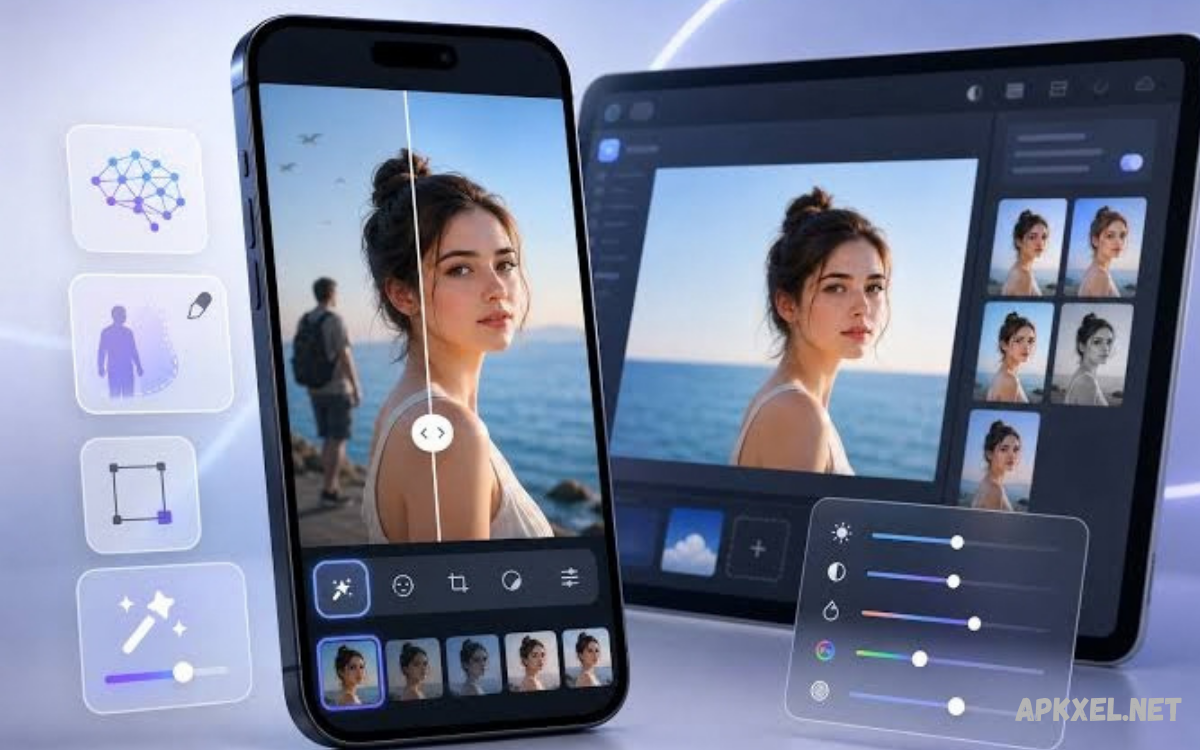
AI Photo Editing Apps have transformed the way people enhance, retouch, and create digital images. These applications use artificial intelligence to simplify editing tasks, improve image quality, remove unwanted objects, and apply creative effects.
Modern AI Photo Editing Apps combine intelligent automation with traditional editing controls. Users can adjust brightness, improve colors, replace backgrounds, sharpen blurry images, and generate artistic designs within a single application.
What Are AI Photo Editing Apps?
AI Photo Editing Apps are digital tools that use machine learning and artificial intelligence to analyze images and apply suitable improvements. These applications recognize objects, faces, backgrounds, lighting conditions, and other visual elements.
Unlike basic photo editors, AI-powered applications can understand different parts of an image and edit them separately. For example, users can brighten a face without significantly changing the background or remove an unwanted object while preserving surrounding details.
How Artificial Intelligence Improves Photo Editing
Artificial intelligence improves photo editing by identifying visual patterns and predicting how an image can be enhanced. AI algorithms can recognize low-light photographs, detect unwanted noise, improve sharpness, and balance colors. These capabilities help users produce cleaner images with fewer manual adjustments, especially when working with photographs captured under challenging conditions.
AI technology also supports advanced editing features such as generative fill, automatic subject selection, background replacement, and portrait enhancement. Some applications can create new visual elements based on written prompts, while others improve existing details. Results depend on image quality, application capabilities, and the complexity of the requested edit.
Best AI Photo Editing Apps for Different Needs
Choosing suitable AI Photo Editing Apps depends on editing goals, experience, device compatibility, and budget. Some applications focus on professional image manipulation, while others prioritize quick mobile edits, attractive filters, or social media graphics. Understanding these differences helps users select tools that match their creative requirements.
Popular options include Adobe Photoshop, Adobe Lightroom, Canva, Picsart, Snapseed, PhotoRoom, and Remini. Each application offers a different combination of editing tools, automation, and creative features. Availability of AI functions, subscription requirements, export options, and supported devices may vary by application and region.
Adobe Photoshop for Advanced AI Editing
Adobe Photoshop is a powerful choice for creators seeking detailed control over digital images. Its AI-assisted features include Generative Fill, intelligent selections, background editing, and content-aware adjustments. These capabilities help users remove distractions, extend image compositions, and create complex visual designs while maintaining control over individual layers and editing decisions.
Photoshop is particularly useful for professional designers, photographers, advertisers, and digital artists. Its extensive toolset supports product photography, promotional graphics, creative composites, and detailed retouching. However, beginners may need time to understand its interface, and access to certain features may require a paid subscription or compatible system.
Adobe Lightroom for Professional Photo Enhancement
Adobe Lightroom focuses on improving photographic quality through color correction, exposure adjustments, tonal control, and intelligent masking. Its AI-powered tools can help select subjects, skies, and other image regions for targeted edits. Photographers can improve portraits, landscapes, travel photographs, and product images while maintaining a consistent visual style across collections.
Lightroom is suitable for creators who want natural-looking results rather than heavily manipulated images. Presets make it easier to apply a consistent appearance to multiple photographs, while manual controls provide additional flexibility. Cloud-based workflows can support editing across compatible devices, although available features depend on the plan and application version.
Canva for AI-Powered Creative Designs
Canva combines photo editing with graphic design tools, making it useful for bloggers, students, marketers, and social media creators. Its AI-assisted features may include background removal, image generation, object editing, and visual design suggestions. Users can combine photographs with text, illustrations, templates, and branding elements to produce polished content without mastering complex editing software.
Canva works particularly well for thumbnails, promotional banners, presentations, social media posts, and website graphics. Its template-based interface helps beginners create attractive designs quickly. Some advanced AI features require a paid plan, and users should review export settings to ensure images meet the resolution and format requirements of their intended platform.
Picsart for Creative Photo Effects
Picsart offers a collection of photo editing tools, artistic effects, filters, stickers, and AI-assisted creative features. Users can create expressive portraits, replace backgrounds, combine multiple images, and produce colorful graphics for social media. Its mobile-friendly interface makes it convenient for people who prefer editing photographs directly on smartphones or tablets.
Picsart is especially useful for creative projects that involve visual experimentation. Users can explore different styles, add decorative elements, and customize images for profile pictures, posts, and promotional content. Some tools may be restricted by subscription, advertisements, or usage limits, so checking current plan details can help avoid unexpected limitations.
Snapseed for Simple and Detailed Editing
Snapseed is a popular photo editing application known for its practical adjustment tools and user-friendly interface. It provides features such as selective adjustments, perspective correction, color tuning, sharpening, healing, and creative filters. Although it is not centered on generative AI, it remains useful for improving photographs through precise editing and accessible controls.
Snapseed suits users who want to enhance images without relying on complicated workflows. Photographers can correct exposure, improve contrast, refine colors, and remove certain small distractions. Its tools encourage careful editing rather than excessive effects, making it a useful option for everyday photography, travel pictures, and natural-looking social media images.
PhotoRoom for Product Photography
PhotoRoom specializes in product images, background removal, and commercial visual content. Its tools can help isolate products, create clean backgrounds, and prepare images for online stores, catalogs, advertisements, and marketplace listings. Sellers can produce consistent product presentations without requiring a professional studio for every photograph.
Businesses can use PhotoRoom to improve product visibility and create promotional images for different platforms. Background templates and automated editing features reduce repetitive work, particularly when preparing large product collections. However, users should check edges, shadows, colors, and product details carefully to ensure the final image accurately represents the item being advertised.
Remini for Image Enhancement
Remini is known for AI-assisted image enhancement, especially for photographs that appear soft, low-resolution, or lacking in detail. Depending on the image and available features, the application may improve perceived sharpness, facial clarity, and overall visual definition. It can be helpful when preparing older photographs or improving images captured with limited camera capabilities.
AI enhancement does not always reproduce original details accurately. When an image contains limited information, an application may generate plausible-looking features rather than recover the exact original appearance. Users should compare enhanced results with the source photograph and avoid relying on artificial details when accuracy and authentic representation are important.
AI Background Removal and Replacement
Background removal is one of the most useful features available in AI Photo Editing Apps. Intelligent subject detection can separate people, products, animals, and other objects from their surroundings. Users can then place the subject against a plain background, a studio-style scene, or a completely different environment without manually tracing every edge.
Background replacement can improve product listings, profile photographs, thumbnails, and promotional graphics. However, hair, transparent objects, fine fabric, and complicated edges may challenge automated selection tools. Reviewing outlines, shadows, reflections, and lighting helps create a more realistic composition and prevents the subject from appearing unnaturally separated from the new background.
AI Object Removal and Image Cleanup
AI object removal helps users eliminate distracting elements from photographs. Depending on the application, these tools can remove unwanted objects, small blemishes, background distractions, or other visual imperfections. The software analyzes nearby pixels and attempts to reconstruct the missing area so the edited image appears consistent with its surroundings.
These tools work best when the removed object covers a relatively simple background. Complicated patterns, overlapping subjects, and important architectural details can produce visible editing errors. Users should inspect the reconstructed area at higher magnification and compare it with the original image before publishing the final result.
AI Photo Enhancement and Image Upscaling
AI photo enhancement tools can improve brightness, contrast, color balance, sharpness, and perceived detail. Some applications also offer image upscaling, which increases image dimensions while estimating additional visual information. These features can help prepare photographs for digital displays, presentations, website content, and selected printing applications.
Upscaling does not guarantee genuine recovery of missing information. An AI model may create textures or details that look convincing without matching the original scene exactly. For important photographs, users should retain the original file, compare different enhancement settings, and choose results that preserve natural textures instead of introducing excessive sharpening or artificial patterns.
AI Portrait Editing and Face Retouching
AI portrait editing tools can assist with lighting correction, skin smoothing, background separation, and other adjustments. Some applications automatically identify faces and apply localized improvements, allowing users to enhance portraits without editing every area manually. These features can be useful for profile pictures, professional headshots, family photographs, and creative portrait projects.
Natural results usually come from moderate adjustments that preserve individual characteristics and realistic skin texture. Excessive smoothing, altered facial proportions, or aggressive filters can make photographs look artificial. Users should select settings that match the intended purpose of the image and respect the preferences of anyone whose portrait is being edited.
AI Filters, Effects, and Artistic Styles
AI filters allow users to change the appearance of photographs with relatively little effort. Applications may offer cinematic color grading, vintage effects, illustration-inspired styles, dramatic lighting, and other creative treatments. Some tools can transform photographs into stylized artwork, making them useful for social media content, posters, personal projects, and visual experimentation.
Creative effects work best when they support the subject and message of the photograph. Too many filters can reduce clarity or create inconsistent colors across a collection of images. Users should experiment with several treatments, compare the results, and save an unedited version so the original photograph remains available for future projects.
Read Also: Best Video Editing Apps for Android: Top Tools, Features, and Editing Tips
AI Photo Editing Apps for Social Media
Social media creators often need images that are clear, visually consistent, and correctly sized for different platforms. AI Photo Editing Apps can simplify background removal, automatic enhancement, text placement, color adjustments, and thumbnail creation. These capabilities help creators prepare profile images, promotional posts, short-video covers, and other visual assets more efficiently.
A consistent editing style can make social media content easier to recognize. Creators can use similar color palettes, typography, and image treatments across their posts while adapting each design to its specific purpose. Before publishing, they should check platform dimensions, readability on smaller screens, image quality, and any applicable rules regarding synthetic or manipulated content.
AI Photo Editing Apps for Bloggers and Website Owners
Bloggers and website owners can use AI photo editors to create featured images, article illustrations, tutorials, banners, and supporting graphics. Clear visual content can improve the presentation of articles and help readers understand complex topics. Background cleanup, color correction, image cropping, and creative composition are particularly useful when preparing consistent website imagery.
Website owners should balance visual quality with loading speed and accessibility. Exporting appropriately sized images, choosing efficient formats, and writing descriptive alternative text can support a better browsing experience. Images should also match article content, respect copyright requirements, and avoid misleading readers through edits that substantially change the meaning of a real photograph.
AI Photo Editing Apps for Beginners
Beginners should choose an application with clear controls, helpful tutorials, and straightforward editing options. Automatic enhancement, ready-made filters, one-tap background removal, and simple cropping tools provide a convenient starting point. These features allow new users to understand basic image improvements before moving toward advanced masking, layers, and more complex editing techniques.
A useful learning process begins with a copy of the original photograph. Users can adjust brightness, contrast, color, and sharpness before experimenting with creative effects. Comparing each edit with the original helps identify which changes improve the image and which ones introduce unwanted artifacts. Regular practice gradually develops confidence and visual judgment.
Free AI Photo Editing Apps Versus Paid Tools
Free AI Photo Editing Apps can provide useful editing controls for everyday photography and simple creative projects. Depending on the application, free access may include cropping, filters, color adjustments, selected AI functions, and standard exports. These options can be sufficient for students, casual photographers, and beginners who want to improve images without purchasing a subscription.
Paid plans may provide additional AI credits, advanced editing tools, higher-resolution exports, premium templates, or fewer usage restrictions. However, a higher price does not automatically guarantee better results for every task. Users should compare feature limits, privacy terms, watermark policies, export quality, and subscription conditions before choosing a paid service.
How to Choose the Best AI Photo Editing App
The best application depends on the type of images you edit most frequently. Professional photographers may prioritize detailed color controls, RAW support, and consistent workflows, while online sellers may focus on fast background removal and product presentation. Social media creators may prefer templates, text tools, and mobile-friendly editing features.
Device compatibility, ease of use, privacy, and cost also matter. Before committing to a subscription, test the application with several real photographs and examine the exported results. Check whether essential features work offline, whether uploaded images are stored remotely, and whether the application meets your image size and file format requirements.
Tips for Getting Better Results With AI Photo Editing Apps
Start with the highest-quality original image available because clearer source material generally provides a stronger foundation for editing. Correct exposure and white balance before applying creative effects, and use selective adjustments when only part of a photograph needs improvement. Save a separate edited copy so future changes do not require rebuilding the entire project.
Avoid applying every available AI effect to the same image. Excessive sharpening, unrealistic skin smoothing, dramatic saturation, and repeated enhancement can reduce natural detail. Review the final image at different zoom levels and on the device where it will be viewed. A simple, balanced edit often communicates more effectively than an image filled with unnecessary effects.
Privacy and Security in AI Photo Editing Apps
Privacy is an important consideration when using AI Photo Editing Apps, particularly applications that process images through cloud-based systems. Uploaded photographs may contain faces, personal documents, home interiors, location clues, or other sensitive information. Users should review the application’s privacy policy and understand how images are processed, stored, retained, and potentially used to improve services.
Avoid uploading confidential documents or private photographs to unfamiliar services. Use trusted applications, install updates from official sources, and check permissions before granting access to photos, files, cameras, or other device features. Where available, on-device editing can reduce the need to transmit photographs to external servers, although privacy protections vary by application.
Responsible Use of AI-Edited Images
AI editing can make photographs more attractive, but responsible use remains important. Removing an unwanted background element from a personal photograph differs from changing a documentary image in a way that misrepresents a real event. Creators should consider the context in which an image will appear and avoid edits that deceive viewers or falsely portray people, products, or situations.
Businesses should ensure that edited product photographs accurately represent the items customers will receive. Bloggers should distinguish illustrative AI-generated imagery from authentic documentary photography when the difference matters to readers. Users should also respect image ownership, obtain appropriate permission when necessary, and follow the rules of the platforms where edited content is published.
Common AI Photo Editing Mistakes
One common mistake is trusting automatic results without checking the image carefully. AI tools can create distorted edges, unusual textures, inconsistent shadows, or inaccurate facial details. These problems may be subtle on a small phone screen but become more visible on larger displays. Reviewing the photograph at full resolution helps identify flaws before publication.
Another mistake is choosing an application based only on popularity or the number of advertised features. An editor with many tools may still be unsuitable for a specific workflow. Users should focus on practical requirements, test output quality, and learn a few reliable features before adding more complicated techniques. Keeping original files also makes it easier to correct mistakes.
Future of AI Photo Editing Apps
AI Photo Editing Apps continue to evolve as image recognition, generative models, and mobile processing improve. Emerging capabilities may make complex selections more accurate, enable more natural lighting adjustments, and provide better controls through written instructions. Improvements in device hardware may also support faster processing and more editing tasks directly on smartphones.
Future developments will likely place greater emphasis on creative control, transparency, and integration with photography workflows. Users may gain more ways to guide automated edits while preserving important original details. At the same time, concerns about authenticity, consent, copyright, and privacy will remain important as generated and modified images become increasingly realistic.
Frequently Asked Questions
Which AI Photo Editing App Is Best for Beginners?
Canva, Picsart, and other beginner-friendly editors offer accessible tools for common editing tasks. The best choice depends on whether you need graphic design, creative effects, portrait enhancement, or straightforward image adjustments. Try the free features first and evaluate the quality of the final exported images.
Are AI Photo Editing Apps Free?
Some applications provide free editing tools, while others offer limited AI features or require subscriptions for advanced functions. Free access may include advertisements, watermarks, usage limits, or restrictions on export quality. Check current pricing and feature availability before selecting an application for regular use.
Can AI Photo Editing Apps Remove Backgrounds?
Yes, many AI-powered editors can automatically separate a subject from its background. Users can then replace the background, create transparent images, or prepare product photographs. Results depend on subject complexity, lighting, image quality, and the accuracy of the application’s selection tools.
Can AI Improve Blurry Photos?
Some AI tools can improve perceived sharpness and generate plausible details in soft or low-resolution images. However, they cannot always recover the exact information missing from the original photograph. Review the results carefully, particularly when preserving authentic facial features or important documentary details.
Are AI Photo Editing Apps Safe to Use?
Many established applications offer privacy and security information, but safety depends on their policies, permissions, and processing methods. Review privacy terms before uploading personal photographs, use official downloads, and avoid sharing confidential material with services you do not trust.
Conclusion
AI Photo Editing Apps make digital photography more accessible by combining intelligent automation with practical editing controls.
For the best results, select an editor that meets your actual needs, begin with high-quality photographs, and review every automated change before publishing. Preserve original images, use AI responsibly, and pay attention to privacy, copyright, and image authenticity.
