

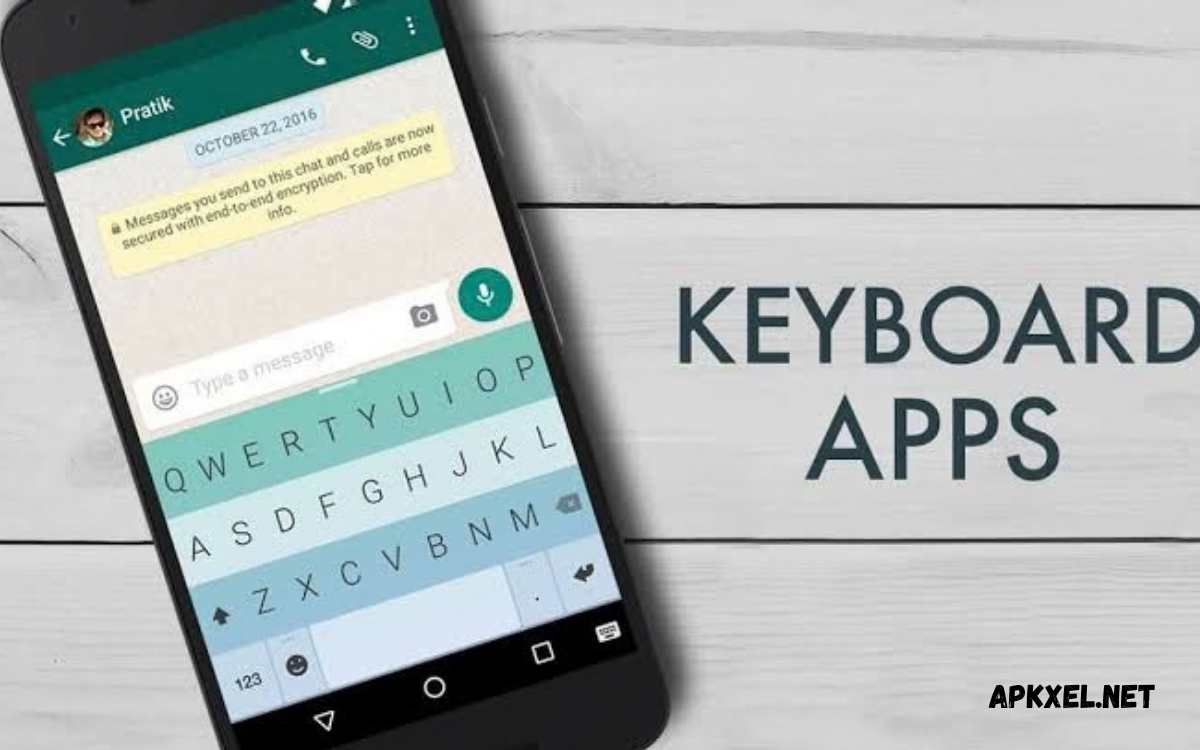
The best keyboard apps can transform everyday typing into a faster, smarter, and more personalized experience. A good keyboard app offers features like autocorrect, word predictions, emojis, themes, voice typing, multilingual support, and customization.
The right keyboard can improve messaging, social media posts, searches, emails, notes, and other everyday tasks. Some keyboard apps focus on speed and accuracy, while others provide creative themes, stickers, GIFs, translation tools, and advanced customization.
What Are Keyboard Apps?
Keyboard apps are software applications that replace or enhance the default keyboard installed on a smartphone. They provide an alternative typing experience with features designed to make writing easier, faster, and more convenient.
Many keyboard apps also provide additional tools that are not available on basic keyboards. Users may find clipboard management, GIF search, stickers, themes, gesture typing, translation, and customizable layouts. Choosing a suitable keyboard depends on typing style, preferred features, language requirements, and device compatibility.
Why Choose the Best Keyboard Apps?
The Best Keyboard Apps can make smartphone typing more comfortable and efficient. A well-designed keyboard learns common words, improves suggestions, reduces typing mistakes, and provides convenient shortcuts. These features can save time when users send messages, write emails, create social media content, or search online.
Another advantage is personalization. Users can select different layouts, colors, themes, languages, and typing methods according to their preferences. Some applications also provide useful productivity features, allowing the keyboard to become more than a simple tool for entering text.
Google Gboard
Gboard is one of the most popular keyboard choices for Android users because it combines simple design with a wide range of practical features. It supports voice typing, gesture typing, emojis, GIFs, stickers, multilingual typing, and customizable settings. Its word prediction system can also make everyday typing faster.
Gboard is suitable for users who want a reliable keyboard without spending significant time configuring complicated settings. Its integration with various Google services can also make searches, translations, and other tasks more convenient directly from the keyboard interface.
Microsoft SwiftKey
Microsoft SwiftKey is another strong option for smartphone users who want personalized predictions and flexible typing features. The keyboard can learn from a user’s writing style and provide relevant word suggestions. It also supports multiple languages, emoji suggestions, themes, and different typing methods.
SwiftKey can be particularly useful for people who communicate in multiple languages. Its customization options allow users to adjust the appearance and keyboard layout. The application combines personalization with productivity features, making it a popular choice among Android and iOS users.
Grammarly Keyboard
Grammarly Keyboard focuses on writing quality rather than only basic typing speed. It can identify various writing issues and provide suggestions that may help users create clearer messages. This makes it useful for emails, schoolwork, professional communication, and social media writing.
The keyboard is especially valuable for users who frequently write in English and want additional assistance with grammar and wording. Instead of switching between a keyboard and another writing application, users can receive writing suggestions while typing on their smartphone.
Typewise Keyboard
Typewise offers a different approach to smartphone typing through its distinctive keyboard layout. Its design aims to reduce accidental keystrokes and provide a comfortable typing experience. The application also includes autocorrection and other tools intended to improve typing accuracy.
Users who frequently make typing mistakes on conventional keyboards may find Typewise interesting. Its interface takes some time to become familiar with, but people who prefer an alternative layout may appreciate its unique approach to mobile typing.
Fleksy Keyboard
Fleksy is known for fast typing, customization, and a collection of additional keyboard features. It provides themes, emojis, GIFs, stickers, and various customization options. Gesture controls can also help users perform certain actions without repeatedly opening menus.
The keyboard can be a good option for users who enjoy personalizing their smartphone experience. Its focus on speed and customization makes it appealing to people who want a keyboard that looks different while still providing useful everyday typing tools.
Chrooma Keyboard
Chrooma Keyboard is designed for users who enjoy visual customization. Its interface can adapt its appearance to match different applications and provide a colorful typing environment. Along with themes, it offers features such as gesture typing, emoji suggestions, and multilingual support.
The keyboard can make typing feel more personalized without requiring users to sacrifice essential functions. Chrooma may be especially appealing to users who care about the appearance of their keyboard and want more control over its visual style.
Best Keyboard Apps for Fast Typing
Fast typing depends on several factors, including keyboard design, word prediction, autocorrection, gesture typing, and personal familiarity. A keyboard that accurately predicts words can reduce the number of characters a user needs to enter manually. Swipe or gesture typing can also help users create words quickly.
Gboard, SwiftKey, and Fleksy are among the options worth considering for users who prioritize speed. However, the fastest keyboard is different for every person. Spending some time testing layouts, prediction settings, and gesture controls can help users identify the option that feels most comfortable.
Best Keyboard Apps for Customization
Customization is an important feature for users who want their smartphone keyboard to match their personal style. Many keyboard applications provide themes, colors, backgrounds, key sizes, layouts, and other appearance settings. Some also offer extensive emoji, GIF, and sticker collections.
Fleksy and Chrooma are notable choices for users interested in visual customization. Other popular keyboards also provide theme collections and adjustable layouts. When selecting a customizable keyboard, users should consider whether appearance features are easy to configure without making everyday typing unnecessarily complicated.
Best Keyboard Apps for Multilingual Typing
People who communicate in multiple languages need a keyboard capable of switching between languages efficiently. Multilingual keyboard support can provide word predictions, autocorrection, and layouts designed for different languages. This can make conversations much easier when users regularly switch between languages.
Gboard and SwiftKey provide broad language support and useful language-switching features. Before installing any keyboard, users should check whether their preferred languages are supported properly. Prediction quality can vary between languages, so testing the keyboard with regular messages is also useful.
Best Keyboard Apps for Emoji and GIFs
Emojis and GIFs have become an important part of digital communication. A keyboard with integrated emoji and GIF search can help users express emotions and reactions without leaving the messaging application. Stickers and other visual elements can also make conversations more engaging.
Many Best Keyboard Apps include dedicated emoji and GIF tools. Gboard, SwiftKey, and Fleksy provide convenient ways to find visual content while typing. Users who frequently communicate through messaging applications should consider how easily these features can be accessed from the keyboard.
Best Keyboard Apps for Voice Typing
Voice typing can be useful when users need to create text quickly without manually pressing every key. Modern keyboard applications can convert spoken words into written text, making it easier to compose messages, notes, searches, and other content. Accuracy depends on language, pronunciation, background noise, and device capabilities.
Gboard is particularly well known for its voice input capabilities. Users can speak naturally and review the generated text before sending or saving it. Voice typing can be helpful when typing is inconvenient, although important messages should always be checked for recognition mistakes.
Keyboard Apps for Privacy
Privacy is an important consideration when choosing a third-party keyboard. Keyboard applications may process information related to typing, depending on their features and permissions. Users should carefully review privacy policies, permissions, settings, and data practices before installing a keyboard.
A trustworthy keyboard should provide clear information about how user data is handled. Users should also avoid granting unnecessary permissions and should keep applications updated. Privacy-conscious users may prefer simpler keyboard applications with fewer online features and less data collection.
How to Choose the Best Keyboard Apps
Choosing the Best Keyboard Apps starts with identifying personal requirements. Users who want simple typing may prefer a lightweight keyboard, while users interested in productivity may want voice typing, translation, clipboard tools, and advanced predictions. Language support should also be considered before making a decision.
Appearance and privacy are equally important for many users. A keyboard should feel comfortable during everyday typing and should not create unnecessary distractions. Testing several applications can help users compare accuracy, speed, customization, language support, privacy options, and overall usability.
Keyboard Apps for Android
Android provides users with considerable flexibility when selecting a keyboard. The default keyboard can usually be replaced through device settings, allowing users to install another keyboard application and make it their primary typing method. The exact steps can vary between Android manufacturers and software versions.
Before switching keyboards, users should download applications from trusted sources and review permissions carefully. After installation, the keyboard can generally be enabled through language or keyboard settings. Users can then test typing performance and adjust preferences such as autocorrection, themes, languages, and predictions.
Keyboard Apps for Productivity
A productivity-focused keyboard can reduce the amount of time spent switching between different applications. Features such as clipboard history, voice typing, translation, search, shortcuts, and smart suggestions can help users complete everyday tasks directly from the keyboard.
Users who frequently write emails, notes, messages, or documents may benefit from these tools. However, having too many features can sometimes make a keyboard feel complicated. The best choice is usually an application that provides useful tools without interfering with a simple and comfortable typing experience.
Keyboard Apps for Students
Students often use smartphones for communication, research, notes, assignments, and online learning. A reliable keyboard can make these activities easier by providing accurate predictions, autocorrection, voice typing, and support for multiple languages. Writing tools can also help students improve clarity when composing messages or notes.
A keyboard should support productive writing without becoming distracting. Students can benefit from features such as clipboard access, multilingual typing, and voice input. Privacy should also remain important, especially when entering personal information, school-related content, or account credentials.
Read Also: Best Camera Apps for Android in 2026
Advantages of Using Keyboard Apps
One major advantage of keyboard applications is improved convenience. Features such as predictive text, swipe typing, voice input, emojis, GIFs, and customizable layouts can make everyday smartphone interaction faster. Users can choose features that match their communication habits.
Another benefit is personalization. Instead of relying on a fixed keyboard, users can adjust the experience to match their preferences. Different languages, layouts, themes, shortcuts, and writing tools make a smartphone keyboard a more useful part of everyday mobile communication.
Things to Consider Before Installing a Keyboard
Before installing a new keyboard, consider privacy, permissions, language support, accuracy, performance, and customization. A visually attractive app may not provide accurate predictions, while a feature-rich keyboard may use more resources or require more permissions.
Also consider updates and developer support. Regular updates can improve compatibility, security, performance, and features. Reading recent user reviews and checking application information can help users make a more informed decision before replacing their default keyboard.
Frequently Asked Questions
What are the Best Keyboard Apps?
The Best Keyboard Apps depend on individual requirements, but Gboard, Microsoft SwiftKey, Grammarly Keyboard, Fleksy, Chrooma, and Typewise are popular options. Each provides a different combination of typing, customization, language, productivity, and writing features.
Which keyboard app is best for Android?
Gboard and Microsoft SwiftKey are strong choices for Android users because they provide reliable typing, predictions, multilingual support, customization, and additional tools. The best option ultimately depends on each user’s preferred features and typing style.
Are keyboard apps safe?
Keyboard apps can be safe when downloaded from trusted sources and configured carefully. Users should review permissions, privacy information, developer reputation, and application settings before installation. Avoiding unnecessary permissions can provide additional privacy protection.
Which keyboard is best for fast typing?
Gboard, SwiftKey, and Fleksy can speed up typing with predictive text, gesture typing, autocorrection, and shortcuts. Typing speed varies from person to person, so users should test different keyboards to determine which layout feels most natural.
Which keyboard is best for multiple languages?
Gboard and SwiftKey are useful choices for multilingual users because they support many languages and provide convenient language-switching features. Users should verify support for their specific languages before choosing a keyboard.
Can keyboard apps improve grammar?
Some keyboard applications provide writing assistance that can identify grammar, spelling, punctuation, and wording issues. Grammarly Keyboard is designed specifically around writing assistance, making it useful for users who want additional help while composing English text.
Do keyboard apps support emojis and GIFs?
Yes, many modern keyboard applications include emoji, GIF, stickers, and other visual communication tools. These features let users search for and insert visual content while typing, instead of switching to another app.
Can keyboard apps use voice typing?
Many keyboard apps support voice typing, letting users speak instead of typing. Voice input can help with messages, searches, notes, and other tasks, but users should review automatically generated text for mistakes.
How can I change my Android keyboard?
Android users can generally change their keyboard through the device’s Settings application under language, keyboard, or input settings. Menu names differ by manufacturer and Android version, so the steps may vary slightly.
Should I replace my default keyboard?
Replacing the default keyboard is optional. If the existing keyboard types accurately and includes all required features, you may not need to change it. Consider alternatives if you want better customization, language support, writing assistance, or productivity features.
Conclusion
The Best Keyboard Apps can improve smartphone communication by combining accurate typing with useful features and personalization.
When choosing a keyboard, focus on accuracy, comfort, language support, privacy, customization, performance, and useful productivity tools.
