

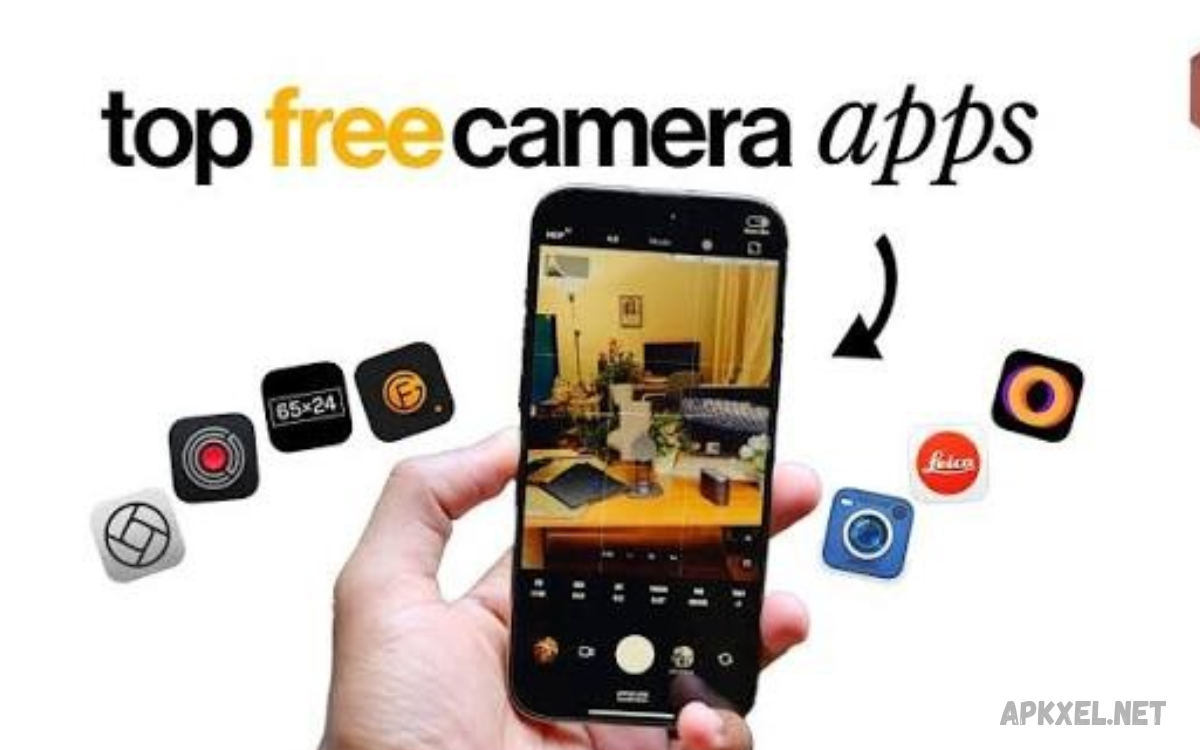
Smartphone photography has become an important part of everyday life. People use their phones to capture family moments, travel memories, landscapes, food photos, portraits, and social media content.
The Best Free Camera Apps help users improve their photography without paying for expensive software right away. Some focus on manual camera settings, while others offer filters, professional video controls, or simple interfaces for quick photography.
What Are the Best Free Camera Apps?
The Best Free Camera Apps are mobile applications that help users capture photographs or videos without requiring an upfront purchase.
Some applications concentrate on capturing images, while others combine camera functions with editing tools. Open Camera, Adobe Lightroom, Snapseed, and the built-in camera apps on Android and iPhone are useful starting points, although their features and free offerings differ.
Why Use a Free Camera App?
A dedicated camera app can make photography more flexible by offering controls that a basic camera interface may lack. Features such as exposure compensation, focus adjustment, white balance, and composition grids help users understand how different settings influence the final photograph.
Free camera apps can also simplify everyday photography through timers, quick-access controls, and specialized shooting modes. However, installing another app does not automatically improve every picture because image quality also depends on the phone’s camera hardware, lighting conditions, and image processing.
Open Camera: A Free Camera App for Android
Open Camera is a popular choice for Android users who want more control over photography without paying for the app. It offers tools such as exposure adjustment, white balance, focus options, timers, composition grids, and additional controls on compatible devices.
The app also supports advanced features through Android camera capabilities, including RAW capture on supported hardware. Its open-source design makes it an appealing option for users who prefer a flexible camera application without third-party advertisements inside the app.
Adobe Lightroom: Camera and Photo Editing
Adobe Lightroom combines photography and editing tools in one mobile application. Users can capture images, adjust brightness, refine colors, improve contrast, and create consistent visual styles without moving between several separate applications.
Lightroom offers free features alongside optional premium tools, so not every advertised function is available without payment. It works particularly well for users who want to capture photographs and refine their appearance through detailed editing controls.
Snapseed: Creative Photography and Editing
Snapseed is primarily known as a photo-editing application rather than a traditional camera replacement. It offers tools for adjusting brightness, contrast, color, detail, perspective, and other image characteristics, making it useful after taking photographs with a phone’s camera.
Its straightforward interface makes it suitable for beginners and experienced users alike. Depending on the current version and device, available features may vary, so users should check the app’s current capabilities before choosing it for a particular photography workflow.
Built-In Camera Apps for Android and iPhone
The built-in camera app is often the easiest option for everyday photography because it is already installed and designed to work with the phone’s camera hardware. It usually provides convenient access to portrait photography, video recording, zoom, flash, timers, and other device-specific features.
Built-in camera software can also benefit from manufacturer image processing and hardware integration. Before installing another app, try the existing camera in different lighting conditions and explore its available settings to determine whether an additional application would provide meaningful benefits.
Google Camera Features and Compatible Android Devices
Google’s camera technology is associated with computational photography features that can improve how compatible phones process images. Depending on the device and available camera software, these features may help balance bright and dark areas, improve low-light photographs, and produce detailed portraits.
Availability depends on the phone model, operating system, and supported camera application. Not every Android device supports the same features, so users should choose compatible software rather than assuming a camera app will deliver identical results across different phones.
Blackmagic Camera for Mobile Video
Blackmagic Camera focuses on mobile video recording and provides a more production-oriented interface on supported devices. Its controls are designed for users who want greater visibility into recording settings while creating videos for projects, short films, interviews, or online content.
Although it is primarily a video camera application, it can be useful for creators who need more control than a basic recording interface provides. Device compatibility and supported recording features should be checked before installation, particularly when using an older smartphone.
Cymera: Camera Effects and Selfies
Cymera is known for photography features aimed at casual users, including filters, stickers, portrait effects, and selfie-oriented tools. These options can make everyday photographs more expressive without requiring advanced knowledge of manual camera settings.
The app may appeal to people who enjoy experimenting with visual styles before sharing pictures with friends. Some features or effects may require in-app purchases, so users should review the available free options and permissions before deciding whether the application suits their needs.
VSCO: Creative Filters and Photography Styles
VSCO is a photography application recognized for its creative filters and editing tools. It can help users develop a consistent appearance across travel photographs, portraits, lifestyle pictures, and social media posts by adjusting color, contrast, and overall image mood.
The free experience includes a selection of tools, while additional features may require a paid membership. VSCO is particularly useful for people interested in visual storytelling and color styling, although its editing features should not be confused with advanced manual camera controls.
Camera FV-5 Alternatives for Manual Photography
Manual camera applications appeal to users who want greater control over how a photograph is captured. Depending on device compatibility, useful settings can include ISO, shutter speed, focus distance, exposure compensation, and white balance.
Open Camera is one free option worth considering for this purpose on Android. Some competing applications offer limited free editions or paid upgrades, so check the actual cost and supported features before installing an app advertised as professional or DSLR-style.
Best Free Camera Apps for Portrait Photography
Portrait photography focuses on people, facial expressions, background separation, and natural skin tones. A suitable camera app should make focusing on the subject easy while helping users manage exposure, lighting, and composition.
The built-in portrait mode, Lightroom, and compatible camera applications can all contribute to better portrait results. Soft natural light, a clean background, and a comfortable shooting distance often matter more than the number of filters or effects available inside an app.
Best Free Camera Apps for Night Photography
Night photography presents challenges because limited light can introduce noise, blur, and loss of detail. Camera apps with night modes, exposure controls, or compatible multi-frame processing can help produce clearer photographs in darker environments.
For the best results, keep the phone steady and use available light carefully. A tripod or stable surface can help reduce movement, while a timer can prevent unwanted camera shake when taking a photograph with a longer exposure.
Best Free Camera Apps for Selfies
Selfie photography benefits from simple controls, accurate exposure, and a preview that makes framing easy. Some camera applications also offer filters, timer settings, front-camera flash effects, and beauty adjustments for users who want more creative options.
For natural-looking selfies, position yourself near a window or another soft light source and keep the camera at a comfortable angle. Avoid applying excessive effects when the goal is to preserve realistic colors, facial details, and the original atmosphere of the photograph.
Best Free Camera Apps for Social Media Content
Social media creators often need an easy way to capture photographs that look good on different platforms. Useful features include composition grids, exposure adjustment, portrait modes, timers, and convenient access to the phone’s gallery.
A camera app should match the type of content you create rather than simply offering the largest feature list. For example, a basic camera may be enough for daily posts, while Lightroom can help creators maintain a consistent color style across several photographs.
Important Features to Look for in a Camera App
Before choosing an application, consider the controls you genuinely need. Manual focus, exposure compensation, white balance, RAW capture, timers, and grid overlays can be useful for photography enthusiasts, but casual users may prefer a simpler interface that opens quickly and takes reliable pictures.
It is also important to check compatibility, privacy permissions, storage requirements, advertisements, and optional purchases. An app that provides the right features without unnecessary complexity is often a better choice than one filled with tools you rarely use.
Manual Camera Controls Explained
Manual controls allow photographers to influence how a picture is captured instead of relying entirely on automatic settings. ISO affects light sensitivity, shutter speed influences motion and exposure, and white balance helps maintain accurate colors under different lighting conditions.
These controls are most useful when the automatic camera produces results that do not match your intentions. However, advanced options depend on the phone’s hardware and software, and changing settings without understanding their effects can sometimes make photographs less clear.
Read Also: Free Music Apps: for Streaming Songs Online
How to Take Better Photos With Free Camera Apps
Good photography starts with light, composition, and a steady camera. Clean the camera lens, look for a clear subject, avoid distracting backgrounds, and tap the subject on the screen when your camera supports touch focusing or exposure adjustment.
Experiment with different angles and distances rather than relying entirely on digital zoom. Take several photographs when appropriate, review the results, and learn which settings work best for your device and the environments where you usually take pictures.
How to Improve Low-Light Photography
Low-light photography improves when you reduce unnecessary camera movement and make better use of available illumination. Place your subject near a window, a lamp, or another safe light source, and use night mode when your phone offers a suitable option.
Avoid increasing ISO excessively because high sensitivity can introduce visible image noise. When possible, use a stable surface, allow the camera to finish capturing the image, and compare the results to determine which settings produce the clearest photograph.
How to Use Filters Without Losing Photo Quality
Filters can change the mood of a photograph by adjusting warmth, contrast, saturation, shadows, and highlights. They are useful for creative projects, but strong effects can make colors appear unnatural or hide details that would otherwise improve the image.
Start with a subtle filter and adjust its intensity when the application allows it. Keeping a copy of the original photograph also gives you the freedom to try different styles later without losing the unedited image.
RAW Photography and Standard Image Formats
Standard JPEG or HEIF photographs are convenient because they are usually smaller and ready to share. The phone processes these images automatically, balancing color, sharpness, contrast, and other characteristics to create a finished photograph.
RAW files preserve more original image data in compatible workflows and can provide greater flexibility during editing. However, RAW files usually consume more storage and require suitable software, while support depends on the camera hardware and application.
Free Camera Apps vs. Paid Camera Apps
Free camera apps can provide excellent value for everyday photography, especially when they include the controls you need without requiring a subscription. Open Camera, for example, is a useful Android option for users interested in manual controls and a flexible interface.
Paid apps may offer specialized features, advanced workflows, or additional support, but a higher price does not guarantee better photographs. Begin with a free application and consider paying only when a specific limitation prevents you from completing a task.
Privacy and Security When Installing Camera Apps
Camera applications may request access to the camera, microphone, storage, or location, depending on their features. Review these permissions carefully and allow only access that makes sense for the functions you intend to use.
Location tagging can be useful for organizing travel photographs, but it may reveal where a picture was taken. If location information is unnecessary, disable geotagging and check the app’s privacy settings before sharing photographs publicly.
Common Mistakes to Avoid When Using Camera Apps
One common mistake is installing several camera applications without learning how to use any of them properly. Another is assuming that filters, high megapixel numbers, or professional labels automatically produce better photographs under every lighting condition.
Avoid excessive digital zoom, unnecessary editing, and complicated settings that do not suit the scene. Instead, focus on lighting, composition, steady handling, and understanding your phone’s existing camera capabilities.
How to Choose the Right Camera App for Your Phone
Start by identifying your main photography goal, such as taking family pictures, capturing landscapes, creating social media posts, or recording video. Then compare a few suitable applications based on their free features, interface, compatibility, and storage requirements.
For Android users seeking manual controls, Open Camera is a sensible starting point. For people who want editing tools, Lightroom or Snapseed may be more appropriate, while iPhone users can begin with the built-in Camera app and explore additional options only when needed.
Frequently Asked Questions
What Are the Best Free Camera Apps?
Open Camera is a strong free option for Android users seeking manual controls. The built-in camera app, Lightroom, and Snapseed can also be useful, depending on whether your priority is capturing photographs, editing images, or keeping your workflow simple.
Which Free Camera App Is Best for Android?
Open Camera is worth considering because it offers a range of photography controls without requiring an upfront purchase. However, some advanced features depend on your phone’s hardware, Android version, and camera support.
Which Free Camera App Is Best for iPhone?
The built-in iPhone Camera app is a convenient starting point because it integrates with the phone’s camera hardware. Lightroom and other compatible applications can provide additional creative tools when you need more editing flexibility.
Are Free Camera Apps Safe to Use?
Many camera apps are legitimate, but users should review the developer, permissions, privacy information, and available reviews before installing software. Download applications through trusted app stores and avoid granting unnecessary access to personal information.
Can Free Camera Apps Improve Photo Quality?
Some applications can improve results by providing better control over exposure, focus, and image processing. However, no app can fully overcome limitations caused by poor lighting, a low-quality lens, or unsupported hardware features.
Do Free Camera Apps Support Manual Settings?
Some free applications, including Open Camera, provide manual controls on compatible Android devices. The availability of settings such as ISO, shutter speed, and manual focus depends on the phone and its camera capabilities.
Are Free Camera Apps Better Than Built-In Cameras?
Not always. Built-in camera apps often benefit from device-specific processing and hardware integration, while third-party apps may provide additional controls or creative features that better suit particular photography styles.
Can I Take Professional-Looking Photos With a Free App?
Yes, free apps can support excellent photography when combined with good lighting, thoughtful composition, and suitable camera settings. The photographer’s technique and the phone’s capabilities remain important factors in the final result.
Do Camera Apps Require Internet Access?
Basic photography functions often work without an internet connection, although certain apps may need internet access for account features, cloud syncing, downloads, or online tools. Check individual app requirements and permissions to understand what works offline.
Which Camera App Is Best for Beginners?
The built-in camera app is usually the easiest choice because its automatic modes simplify photography. Beginners can later explore Open Camera for additional controls or Lightroom and Snapseed for creative editing.
Conclusion
The Best Free Camera Apps offer different benefits depending on your smartphone, photography experience, and creative goals.
Choose an application based on the features you actually need instead of downloading every available option. With good lighting, thoughtful composition, and regular practice, you can capture impressive photos without paying for a premium camera app.
