

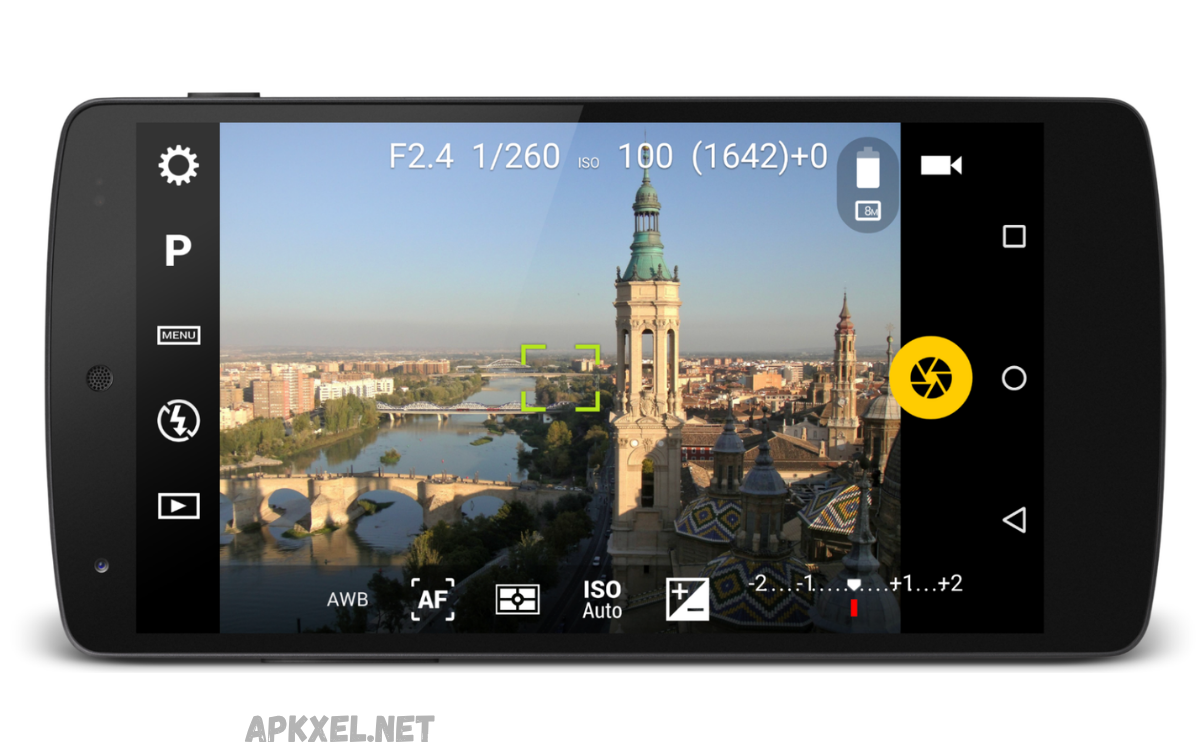
Smartphone cameras have improved significantly over the years, but the quality of your photos and videos often depends on the camera application you use. While most Android devices come with a default camera app, many users prefer installing specialized camera apps APKs to unlock advanced features, better image processing, and professional photography controls.
Whether you’re a casual photographer, social media creator, or photography enthusiast, choosing the best camera apps APK can dramatically improve your shooting experience. This guide explores the top camera applications available for Android devices, highlighting their features, benefits, and ideal use cases.
Why Use Camera Apps APK Instead of the Default Camera App?
Many smartphone manufacturers limit advanced photography options within their stock camera applications. Third-party camera app APKs often offer additional controls, enhanced image processing, and specialized shooting modes not available in the default apps.
These applications can help users access manual settings such as ISO, shutter speed, focus adjustments, RAW image capture, and advanced video recording options. As a result, photographers gain greater creative control and can produce higher-quality content directly from their smartphones.
Features to Look for in the Best Camera Apps APK
Before downloading any camera application, it’s important to understand which features contribute to a better photography experience. Not all camera apps offer the same level of functionality, so evaluating your needs is essential.
Look for features such as manual camera controls, HDR support, RAW image capture, AI scene optimization, night mode photography, stabilization tools, and high-resolution video recording. These capabilities can significantly enhance both image quality and user experience.
Google Camera (GCam)
Google Camera, commonly known as GCam, is one of the most popular camera apps among Android users. Originally developed for Google Pixel devices, the APK is available in various compatible versions for many Android smartphones.
The app is widely recognized for its advanced computational photography features. Night Sight, HDR+, Portrait Mode, and Astrophotography Mode allow users to capture impressive photos even in challenging lighting conditions. Many users install GCam APK versions to achieve Pixel-like image quality on non-Pixel devices.
Key Features of Google Camera
- HDR+ image processing
- Night Sight mode
- Astrophotography support
- Portrait photography enhancements
- Improved dynamic range
- AI-powered image optimization
Open Camera
Open Camera is a free, open-source camera application that offers extensive manual photography controls. It has earned a strong reputation among Android users who want greater flexibility without paying for premium apps.
The application supports manual focus, exposure adjustments, white balance controls, and customizable user interfaces. Open Camera is also lightweight, making it suitable for older Android devices that may struggle with resource-intensive applications.
Read Also: Trending Android Apps in 2026: The Best Apps Everyone Is Downloading
Key Features of Open Camera
- Completely free and open source
- Manual ISO and focus controls
- Voice command support
- Auto-stabilization features
- External microphone compatibility
- Flexible customization options
Camera FV-5
Camera FV-5 is designed specifically for photography enthusiasts seeking DSLR-style controls on their smartphones. The application focuses heavily on manual adjustments and professional shooting capabilities.
Users can control shutter speed, ISO settings, exposure compensation, and focus modes with precision. RAW image support enables photographers to edit images more effectively during post-processing, making Camera FV-5 a favorite among advanced users.
Key Features of Camera FV-5
- DSLR-inspired interface
- Full manual camera controls
- Long exposure photography
- RAW image capture
- Professional shooting tools
- Exposure bracketing support
ProCam X
ProCam X is another highly regarded camera application that offers professional-grade photography features. It is designed to provide maximum control over camera settings while maintaining an intuitive user experience.
The app supports manual exposure adjustments, burst mode shooting, focus controls, and 4K video recording. Its balance between advanced functionality and usability makes it appealing to both beginners and experienced photographers.
Key Features of ProCam X
- Manual focus and exposure
- Burst shooting mode
- High-resolution photography
- 4K video recording
- Real-time filters
- Easy-to-use interface
Footej Camera
Footej Camera has become increasingly popular due to its modern interface and strong feature set. The app leverages Android’s Camera2 API to unlock advanced photography functions on compatible devices.
Users can enjoy manual controls, burst mode photography, slow-motion video recording, and RAW image support. The application delivers a clean experience without overwhelming users with unnecessary complexity.
Key Features of Footej Camera
- Camera2 API integration
- RAW image support
- Slow-motion recording
- Burst mode photography
- Manual camera settings
- User-friendly design
Adobe Lightroom Camera
Adobe Lightroom is primarily known as a photo editing platform, but its built-in camera module is also highly capable. The Lightroom Camera offers advanced capture tools combined with professional editing workflows.
Photographers can shoot in RAW format and immediately begin editing within the Lightroom ecosystem. This seamless workflow is particularly beneficial for content creators, influencers, and professional photographers who require efficient image management.
Key Features of Adobe Lightroom Camera
- Integrated editing tools
- RAW image capture
- Professional presets
- Cloud synchronization
- Advanced color correction
- Non-destructive editing
VSCO Camera
VSCO combines photography and editing features in a single application. Its camera component provides users with manual controls and image enhancements, while its editing suite offers a wide range of creative filters.
The app appeals to users who prioritize aesthetics and social media content creation. Many photographers appreciate VSCO’s film-inspired filters and subtle image adjustments that maintain a natural look.
Key Features of VSCO Camera
- Professional presets
- Manual camera controls
- Creative editing tools
- Film-style filters
- High-quality exports
- Social sharing features
Benefits of Using the Best Camera Apps APK
Third-party camera apps can significantly improve photography results compared to stock applications. They often provide access to advanced controls that are hidden or unavailable in standard camera software.
These apps also introduce specialized photography modes, improved low-light performance, better image processing algorithms, and greater flexibility for creative shooting. For users who enjoy mobile photography, upgrading the camera application can be one of the most effective ways to enhance image quality.
Safety Tips When Downloading Camera Apps APK
Downloading APK files requires caution because unofficial sources may distribute modified or malicious versions of applications. Users should prioritize trusted platforms and verify app authenticity whenever possible.
Always check app permissions, read user reviews, and keep your Android device updated. Avoid downloading APK files from suspicious websites that promise unrealistic features or unauthorized premium versions, as these may compromise device security.
How to Choose the Right Camera App for Your Needs
The ideal camera app largely depends on your photography goals and your smartphone’s compatibility. Casual users may prefer applications with AI enhancements and simple interfaces, while photography enthusiasts often benefit from manual controls and RAW support.
Consider factors such as device performance, Camera2 API compatibility, video recording requirements, and editing capabilities before selecting an application. Testing multiple camera apps can help identify which option delivers the best results for your specific smartphone.
Frequently Asked Questions
What is the best camera app APK for Android?
Google Camera (GCam), Open Camera, Camera FV-5, ProCam X, and Footej Camera are among the most popular and highly rated camera apps for Android users.
Is it safe to install camera APK files?
Yes, it can be safe to download APK files from trusted, reputable sources. Always verify app authenticity and review permissions before installation.
Do camera apps APK improve photo quality?
Many camera apps enhance image quality through advanced processing algorithms, HDR capabilities, manual controls, and improved low-light photography features.
Which camera app is best for professional photography?
Camera FV-5 and ProCam X are often preferred by photography enthusiasts for their extensive manual controls and RAW image support.
What is GCam APK?
GCam APK refers to Google Camera ports that allow Android users to access Google Camera features on compatible non-Pixel smartphones.
Can camera apps record 4K videos?
Many modern camera apps support 4K video recording, provided the smartphone hardware also supports high-resolution video capture.
Are free camera apps worth using?
Yes. Free applications such as Open Camera provide powerful photography features and manual controls without requiring a paid subscription.
Conclusion
Finding the best camera apps APK can greatly improve your smartphone photography experience. Whether you prefer Google’s advanced computational photography, Open Camera’s flexibility, Camera FV-5’s professional controls, or Adobe Lightroom’s integrated editing workflow.
The key is choosing a camera app that matches your photography style, your device’s compatibility, and your feature requirements. By focusing on trusted applications and safe download practices, Android users can unlock powerful camera capabilities and capture better photos and videos with confidence.
