

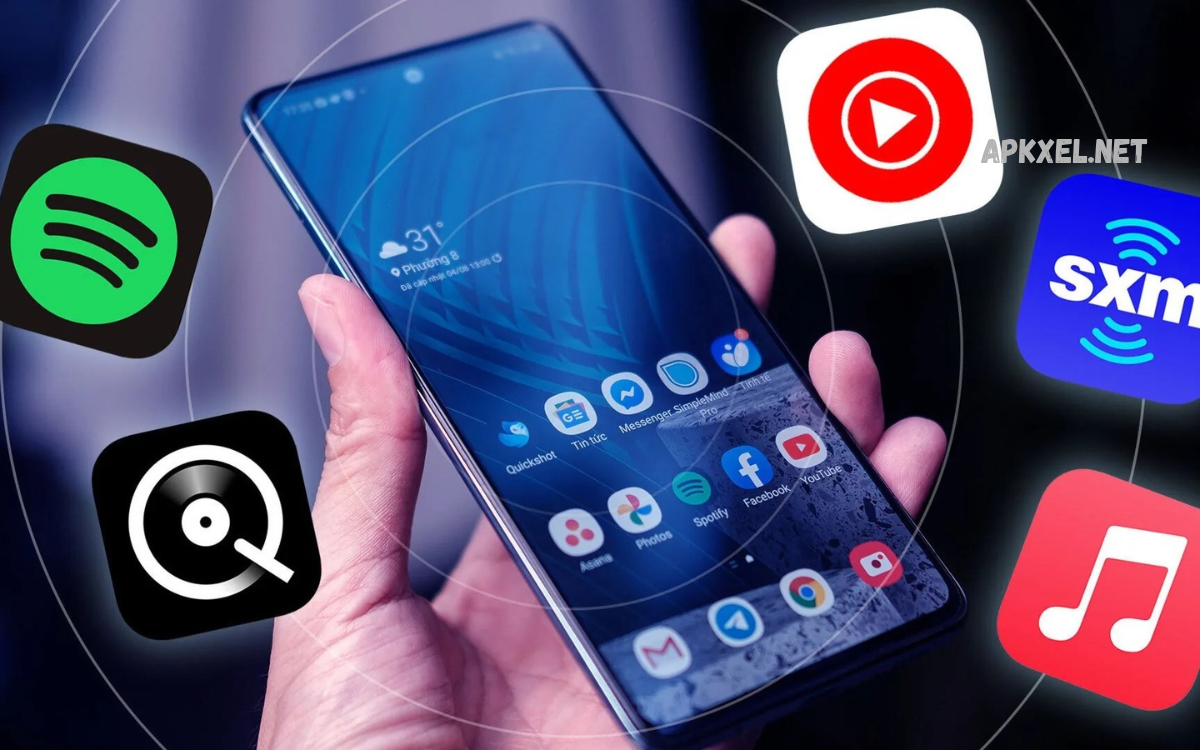
Music has become an important part of everyday digital life. Smartphones now provide instant access to millions of songs, albums, podcasts, playlists, radio stations, and emerging artists. Choosing the right music platform can improve sound quality, discovery, personalization, offline listening, and overall entertainment.
The Best Music Apps offer different features depending on listening habits. Some platforms focus on personalized recommendations, while others provide high-resolution audio, large music libraries, social features, curated playlists, or seamless integration across devices.
What Are the Best Music Apps?
The Best Music Apps are streaming platforms designed to provide convenient access to music through smartphones, tablets, computers, smart TVs, vehicles, and other connected devices. Popular services usually combine extensive catalogs with search tools, playlists, recommendations, artist pages, albums, radio features, and personalized libraries.
A quality music app should provide reliable playback, an intuitive interface, strong discovery tools, useful playlist controls, and suitable audio settings. Premium services may also include offline downloads, higher-quality streaming, ad-free listening, lyrics, spatial audio, and additional personalization features.
Spotify
Spotify remains one of the most recognizable names in digital music streaming. Its platform combines music, podcasts, playlists, artist discovery, personalized recommendations, and social listening features. Users can search for individual tracks, albums, artists, genres, moods, and curated collections.
Spotify is particularly useful for listeners who enjoy discovering unfamiliar music. Personalized playlists, algorithmic recommendations, daily mixes, radio features, and editorial collections can continually introduce new artists and songs. Its broad device compatibility also makes switching between listening environments convenient.
Apple Music
Apple Music provides access to a large music catalog alongside curated playlists, artist content, radio programming, lyrics, and personalized recommendations. Its integration with Apple devices makes it particularly convenient for users already invested in the Apple ecosystem.
Audio quality is another major part of Apple Music’s appeal. Supported tracks can provide lossless and high-resolution lossless playback, while compatible content may also support spatial audio. These features make the platform attractive to listeners who place greater emphasis on sound quality.
YouTube Music
YouTube Music combines traditional music streaming with the enormous ecosystem of YouTube. Users can discover official songs, albums, music videos, live performances, remixes, covers, DJ sets, and other music-related content through one platform.
The service can be especially useful for listeners who frequently search for unusual versions of songs. YouTube Music also uses listening activity to generate personalized recommendations, making it easier to discover tracks based on existing interests and viewing or listening behavior.
Amazon Music
Amazon Music offers music streaming across smartphones, computers, smart speakers, vehicles, and other compatible devices. Its catalog includes songs, albums, playlists, stations, podcasts, and additional audio content depending on the selected service tier.
Amazon Music can be convenient for users who already use Amazon’s ecosystem. Integration with Alexa-enabled devices provides hands-free control, while supported subscription plans can provide additional audio-quality options and access to extensive music libraries.
Tidal
Tidal has developed a strong reputation around audio quality and music-focused listening. The platform emphasizes high-quality streaming, artist content, curated playlists, music videos, and features designed for listeners who want a more detailed audio experience.
For users with capable headphones, speakers, amplifiers, or other audio equipment, Tidal can be an appealing option. Its focus on high-fidelity formats makes it particularly relevant for listeners who consider technical audio quality an important part of music streaming.
Deezer
Deezer provides music streaming, playlists, recommendations, podcasts, radio-style listening, and personalized discovery. Its interface is designed around helping users quickly access favorite music while also exploring new content.
One notable feature associated with Deezer is its personalized recommendation approach. The platform can use listening behavior to create music selections tailored to individual preferences. This makes it useful for users who want a balance between familiar favorites and new discoveries.
SoundCloud
SoundCloud has a different position within the music streaming landscape because it provides a strong platform for independent musicians, producers, DJs, remix creators, and emerging artists. Users can find music that may not appear on conventional mainstream streaming services.
The platform is particularly useful for discovering underground genres, independent releases, remixes, demos, DJ mixes, and experimental tracks. Listeners who enjoy exploring music outside mainstream charts may find SoundCloud’s creator-driven ecosystem especially valuable.
Pandora
Pandora is known for its radio-style approach to music discovery. Instead of requiring users to manually build large playlists, the platform can create stations based on songs, artists, genres, and listening preferences.
Pandora can work well for people who prefer continuous music without repeatedly selecting individual tracks. Its recommendation system can gradually adapt to listener feedback, making stations more personalized over time.
Best Music Apps for Android
Android users have access to almost every major music streaming platform. Spotify, YouTube Music, Amazon Music, Deezer, Tidal, and SoundCloud provide dedicated Android applications with features designed for mobile listening.
When selecting an Android music app, users should consider device compatibility, battery usage, download functionality, audio quality, interface design, and subscription requirements. Storage capacity can also matter when downloading large collections for offline playback.
Best Music Apps for iPhone
iPhone users can choose from Apple Music, Spotify, YouTube Music, Amazon Music, Tidal, Deezer, and other streaming services. Apple’s ecosystem provides particularly close integration with Apple devices and services.
Users should consider features such as AirPlay compatibility, CarPlay support, offline downloads, audio quality, library synchronization, and subscription pricing. Personal listening habits are more important than choosing an app solely because it is associated with a particular device.
Best Music Apps for Offline Listening
Offline listening allows users to download music before traveling, commuting, exercising, or entering areas with limited internet connectivity. This feature can also reduce mobile data consumption during regular listening sessions.
Most major premium music platforms offer offline playback under qualifying subscriptions. Users should check download limits, supported devices, storage requirements, and account restrictions before building a large offline library.
Best Music Apps for High-Quality Audio
High-quality audio has become an important feature for music enthusiasts. Depending on the platform, listeners may find lossless, high-resolution, spatial audio, or other enhanced formats designed to provide greater detail and immersion.
However, high-resolution playback is most noticeable when the complete listening setup supports it. Headphones, speakers, wired connections, codecs, device hardware, and source quality can all influence the final experience. A high-quality subscription alone does not automatically guarantee superior sound in every setup.
Read Also: Best Entertainment Apps in 2026
Best Music Apps for Discovering New Songs
Music discovery is one of the strongest reasons people use streaming platforms. Recommendation engines can analyze listening patterns and suggest artists, albums, genres, playlists, and tracks that may match established preferences.
Editorial playlists can also introduce listeners to emerging artists and current releases. Users interested in discovery should look for platforms offering personalized mixes, artist radios, release recommendations, genre stations, and regularly updated playlists.
Best Music Apps for Playlists
Playlists allow users to organize music around activities, moods, genres, artists, events, or personal preferences. A well-designed playlist system should make it simple to create collections, reorder tracks, add songs, remove songs, and share playlists.
Some platforms provide collaborative playlists where multiple users can contribute music. This feature can be useful for parties, road trips, workouts, group activities, or shared listening sessions where several people want to influence the music selection.
Best Music Apps for Workout Music
Music can make workouts more engaging by providing rhythm and motivation during exercise. Many streaming platforms offer dedicated workout playlists covering energetic pop, electronic music, hip-hop, rock, dance, and other high-energy genres.
Users can also create personalized workout collections based on preferred tempo and intensity. Downloading playlists before exercise can be useful when training in locations where mobile connectivity is unreliable or when minimizing phone data usage is important.
Best Music Apps for Podcasts
Several major music platforms have expanded beyond songs into podcasts and spoken-word content. This allows users to switch between music and podcasts without maintaining separate applications for every type of audio.
Podcast features vary significantly between platforms. Users who frequently listen to interviews, educational programs, news discussions, entertainment shows, or storytelling content should examine search tools, subscriptions, episode organization, playback controls, and offline support.
Best Music Apps for Families
Family-focused subscriptions can provide separate accounts or profiles for multiple household members. This allows each person to maintain individual playlists, recommendations, listening histories, and preferences.
A family music plan can also be more practical than maintaining multiple individual subscriptions. Parents should review available account controls, age-appropriate features, content settings, device limits, and subscription terms before selecting a plan for a household.
Best Free Music Apps
Free music streaming options can provide access to large catalogs without requiring a paid subscription. However, free tiers commonly include advertisements, playback restrictions, limited skips, or other feature limitations.
Spotify, YouTube Music, SoundCloud, Pandora, and other platforms have offered various free listening experiences depending on region and service structure. Users should check current regional availability because features and subscription tiers can change over time.
Best Music Apps for Students
Students often need affordable entertainment while managing limited budgets. Music platforms may offer discounted subscription plans for eligible students, although eligibility requirements, pricing, and included features vary by country and service.
Students should compare monthly pricing, offline listening, audio quality, advertisements, playlist features, and additional content before selecting a service. A lower-cost plan can be useful when its included features already match everyday listening needs.
Best Music Apps for Car Listening
Modern vehicles increasingly support smartphone-based music playback through technologies such as Android Auto, Apple CarPlay, Bluetooth, and built-in infotainment systems. Music apps that integrate smoothly with these systems can make driving audio controls more convenient.
For car use, interface simplicity and voice controls are especially important. Drivers should prioritize applications that provide straightforward playback controls and reliable connectivity, while avoiding unnecessary interaction with a phone during driving.
Best Music Apps for Smart Speakers
Smart speakers can turn music streaming into a hands-free experience. Services that integrate with voice assistants allow users to request songs, artists, playlists, genres, albums, and radio stations using voice commands.
Compatibility varies between music services and smart-speaker ecosystems. Before subscribing, users should verify whether their preferred platform works with their specific speaker and whether voice-controlled features are included in the selected subscription.
Best Music Apps for Music Discovery
Music discovery can extend beyond algorithmic recommendations. Some platforms provide editorial playlists, charts, genre pages, artist radio, new-release sections, and community-based discovery features.
A good discovery experience should expose listeners to different styles without becoming repetitive. Users can improve recommendations by actively saving favorite tracks, following artists, rating songs where supported, and exploring unfamiliar genres.
How to Choose the Best Music App
Choosing among the Best Music Apps depends on personal listening priorities. A user who values sound quality may focus on lossless or high-resolution options, while another listener may care more about playlists, discovery, social features, podcasts, or device compatibility.
Subscription cost should also be compared with actual usage. Someone who listens occasionally may find a free tier sufficient, while a daily listener may benefit from offline playback and an ad-free experience. The best choice depends on which features provide practical value.
Music App Audio Quality
Audio quality depends on several technical factors, including streaming bitrate, codec, source recording, playback hardware, connection quality, and device settings. Some services provide multiple quality levels so users can balance sound quality against mobile data and storage consumption.
Listeners using basic Bluetooth earbuds may not notice every difference between streaming formats, while users with higher-quality wired or wireless equipment may appreciate additional detail. Audio quality should therefore be evaluated as part of the entire listening chain.
Music App Privacy and Security
Music applications collect information to provide recommendations, synchronize libraries, personalize content, measure engagement, and operate their services. Depending on the platform, collected information may include listening activity, searches, playlists, account details, device information, and interaction history.
Users should review privacy settings and account controls before using a streaming service extensively. Strong passwords, updated applications, secure account recovery information, and careful management of connected devices can also improve account security.
Music Apps and Data Usage
Streaming music continuously can consume mobile data, particularly when higher audio-quality settings are enabled. Users with limited mobile data should monitor streaming quality and use Wi-Fi for large downloads whenever possible.
Offline downloads provide another way to control data consumption. Downloading frequently played albums and playlists in advance can reduce repeated streaming and provide reliable playback when internet access is unavailable.
Music Apps and Battery Life
Music playback generally consumes less power than many visually intensive smartphone applications, but battery usage can increase when streaming over mobile networks, using Bluetooth, downloading content, or maintaining other active connections.
Users can reduce unnecessary battery consumption by downloading music over Wi-Fi, keeping applications updated, reducing unnecessary background activity, and using efficient device settings. Battery impact varies by smartphone, operating system, network conditions, and playback hardware.
Free Music Apps vs Premium Music Apps
Free music services can be suitable for casual listeners who do not mind advertisements or playback restrictions. They provide an accessible way to explore music without committing to a monthly subscription.
Premium plans typically add benefits such as ad-free playback, offline downloads, enhanced audio options, unlimited skips, background listening, and additional controls. Whether these features justify a subscription depends on how frequently and extensively someone uses music streaming.
Music Apps for Different Listening Styles
Different listeners require different platform features. Audiophiles may prioritize lossless formats and high-resolution playback, playlist enthusiasts may focus on organization tools, and discovery-focused users may value recommendation systems and editorial selections.
Listeners who frequently move between devices should also consider synchronization. A service that maintains libraries, playlists, listening history, and downloads across supported devices can create a more consistent experience throughout the day.
Future of Music Apps
Music applications continue to evolve as streaming technology, artificial intelligence, personalization, connected devices, and audio formats develop. Recommendation systems are becoming increasingly sophisticated, while platforms continue experimenting with new ways to connect listeners with artists and content.
Future music experiences may place greater emphasis on intelligent playlists, adaptive recommendations, immersive audio, voice interaction, social listening, and personalized discovery. Users can expect music platforms to continue expanding beyond basic song playback.
Tips for Getting More From Music Apps
Users can improve their experience by organizing playlists, following favorite artists, exploring new genres, adjusting audio settings, and downloading frequently played content for offline use. Regularly reviewing recommendations can also help improve personalization.
It is also useful to explore settings that are often overlooked. Playback quality, crossfade, equalizer controls, lyrics, notifications, download preferences, explicit-content settings, and connected-device management can significantly affect everyday listening.
Frequently Asked Questions
What are the Best Music Apps?
The Best Music Apps include major platforms such as Spotify, Apple Music, YouTube Music, Amazon Music, Tidal, Deezer, SoundCloud, and Pandora. Each service offers different combinations of music catalogs, playlists, recommendations, audio quality, and offline features.
Which music app has the largest selection?
Music catalogs vary by region and licensing agreements, so there is no single permanent catalog leader worldwide. Major services generally provide extensive collections covering popular artists, albums, genres, and international music.
Which music app is best for offline listening?
Several major music services provide offline listening through eligible subscription plans. Spotify, Apple Music, YouTube Music, Amazon Music, Tidal, and Deezer offer download functionality on supported devices and plans.
Which music app offers high-quality audio?
Several services provide enhanced audio options, including lossless or high-resolution formats. Tidal and Apple Music are among the platforms commonly associated with high-quality audio features, although availability and formats can vary.
Are free music apps available?
Yes. Several major platforms offer free listening options, although free plans may include advertisements, playback restrictions, limited skips, or other limitations. Features can vary by country and subscription structure.
Which music app is good for discovering new artists?
Spotify, YouTube Music, SoundCloud, Apple Music, Deezer, and other services provide discovery tools. Personalized recommendations, artist radio, curated playlists, new-release sections, and genre collections can help users find unfamiliar artists.
Can music apps work without internet?
Yes, many premium music services support offline playback. Users generally need to download songs, albums, or playlists while connected to the internet before playing them offline.
Do music apps use a lot of mobile data?
Music streaming can use significant mobile data over extended periods, especially at higher audio-quality settings. Users with limited data can reduce streaming quality or download music over Wi-Fi for offline playback.
Can music apps connect to cars?
Many music services support vehicle playback through Bluetooth, Android Auto, Apple CarPlay, or compatible built-in infotainment systems. Compatibility depends on the vehicle, smartphone, operating system, and selected application.
How should I choose a music app?
Compare music catalog availability, audio quality, playlist tools, discovery features, offline playback, device compatibility, subscription cost, advertisements, and privacy controls. Select the platform whose features match your actual listening habits.
Conclusion
The best music apps offer more than simple access to songs. Modern platforms combine streaming libraries, personalized recommendations, playlists, offline playback, podcasts, artist discovery, high-quality audio, and cross-device compatibility.
Spotify, Apple Music, YouTube Music, Amazon Music, Tidal, Deezer, SoundCloud, Pandora, and other services each approach music streaming differently. The right platform depends on listening habits, preferred devices, audio requirements, budget, offline needs, and interest in music discovery.
