

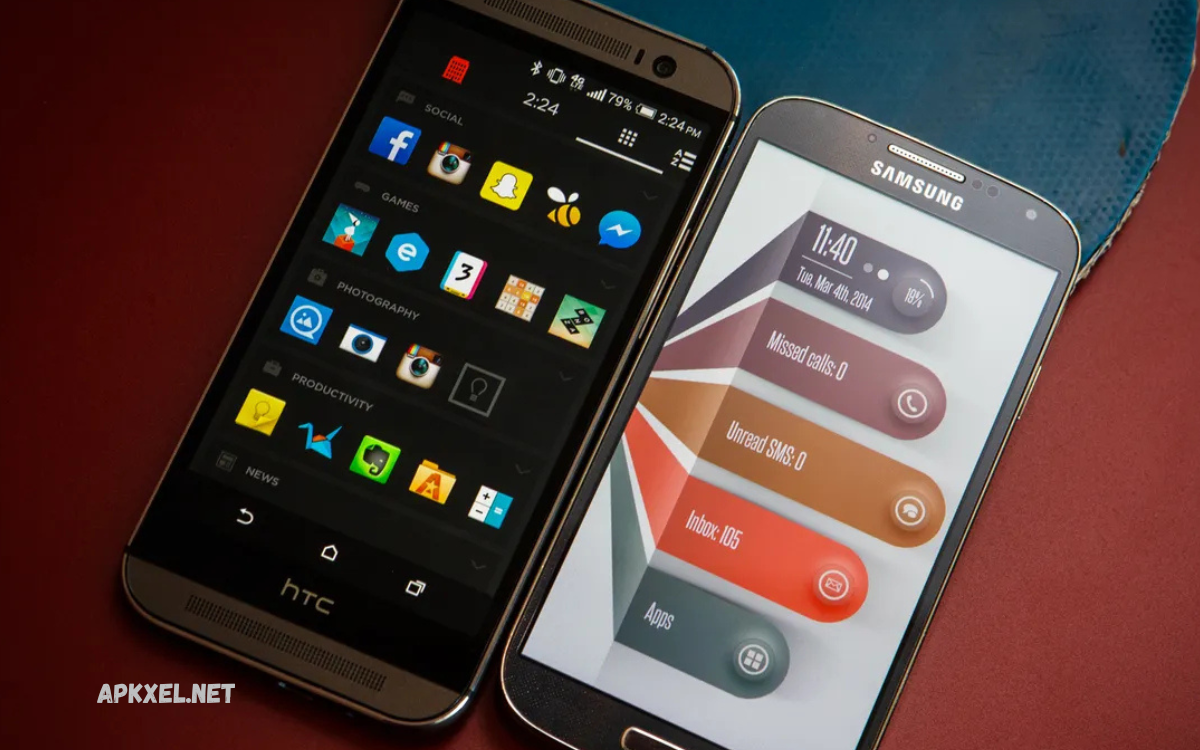
Android users continue to demand more control, speed, and personalization from their smartphones, and launcher apps have become one of the most powerful ways to achieve that experience. The best Android launcher apps today go far beyond simple home screen replacements; they redefine how users interact with their devices by offering advanced customization, smoother performance, and intelligent features designed for modern digital lifestyles.
With a clean interface, a productivity-focused layout, or a visually rich, animated home screen, Android launchers offer endless flexibility. Many of the top launchers now integrate AI-driven suggestions, adaptive themes, and smart app organization that automatically adjusts based on usage patterns. This means your phone becomes faster to navigate and more intuitive over time.
What is an Android Launcher App?
An Android launcher app is a system interface layer that controls home screen app drawer icons, widgets, animations, and gestures. It replaces the default UI with a customized environment.
Key functions include
- Home screen customization
- App organization
- Gesture control
- Widget integration
- Theme management
- Performance optimization
Modern launchers in 2026 also include AI-powered suggestions, smart folders, and adaptive layouts.
Why Android Launcher Apps Matter in 2026?
Android ecosystem becomes more complex every year. Users install more apps, use more services, and demand faster navigation. Launcher apps solve this problem through personalization and optimization.
Main reasons launcher apps are important
- Improve device speed
- Reduce app search time
- Enhance visual experience
- Increase productivity
- Offer full customization freedom
- Provide smart automation features
In short, launcher apps turn a standard Android phone into a personal smart system.
Key Features of Best Android Launcher Apps for 2026
Advanced Customization Options
Customization remains the most important feature in modern launchers. Users can fully redesign their interface.
Popular customization options
- Icon packs support
- Grid layout adjustment
- Font styling
- Theme color control
- Animation effects
- Home screen layout editing
This allows users to create minimal professional or highly creative phone designs.
Speed Optimization and Performance Boost
Speed is a major priority in 2026 launcher development. Lightweight code structure and smart caching improve performance.
Performance improvements include
- Faster app launching
- Reduced RAM usage
- Smooth scrolling
- Optimized background processes
- Battery efficiency improvements
Even mid-range devices feel faster with optimized launchers.
Read Also: Top Productivity Apps for Android
Smart AI-Based User Experience
AI integration becomes a major trend in Android launchers.
Smart features include
- App prediction based on usage
- Smart folders auto-organization
- Daily usage insights
- Context-based suggestions
- Voice search integration
This makes smartphones more intuitive and responsive to user behavior.
Gesture Controls and Navigation Efficiency
Gesture-based navigation replaces traditional button systems.
Common gesture features
- Swipe up for the app drawer
- Double-tap for lock
- Swipe down for notifications
- Custom shortcuts for apps
This reduces navigation time and improves usability.
Widget Ecosystem Enhancement
Widgets play a major role in the modern launcher experience.
Widget capabilities include
- Weather updates
- Calendar events
- Task management
- System monitoring
- News feeds
Users get real-time information without opening apps.
Top Android Launcher Apps in 2026
Below are some of the most popular and efficient launcher apps based on performance customization and smart features.
Nova Launcher Prime
Nova Launcher remains one of the most powerful customization tools.
Key features
- Highly customizable grid system
- Smooth performance
- Icon pack support
- Gesture controls
- Backup and restore options
It is ideal for users who want full control over design and layout.
Microsoft Launcher
Microsoft Launcher focuses on productivity and cross-device integration.
Key features
- Microsoft account sync
- Calendar and task integration
- News feed panel
- Cloud connectivity
- Clean interface
Best for business users and productivity-focused individuals.
Niagara Launcher
Niagara Launcher focuses on minimalism and speed.
Key features
- Clean single-column layout
- Fast app access
- Minimal distractions
- Lightweight design
- Smooth performance
Perfect for users who prefer simplicity and speed.
Smart Launcher 6
Smart Launcher provides automatic app categorization.
Key features
- Auto-organized app drawer
- Adaptive themes
- Smart search bar
- Low battery usage
- Customizable interface
It is ideal for users who want automation and simplicity combined.
Lawnchair Launcher
Lawnchair offers a Pixel-style experience with freedom of customization.
Key features
- Pixel UI style
- Google integration
- Custom icons
- Smooth animations
- Lightweight structure
Best for users who love clean Android stock design.
Action Launcher
Action Launcher is known for its quick access features.
Key features
- Quick theme customization
- Cover and shutter feature
- Google integration
- Fast navigation
- Adaptive layout system
It enhances speed and usability significantly.
Benefits of Using Android Launcher Apps
Using launcher apps provides several long-term advantages.
Main benefits
- Personalized smartphone experience
- Improved productivity
- Faster navigation
- Better visual design
- Smart automation features
- Reduced system lag
These benefits make launcher apps essential tools in 2026 Android usage.
How to Choose the Best Android Launcher Apps for Customization, Speed, and Smart User Experience in 2026
Choosing the right launcher depends on user preference and device capability.
Important factors
- Device performance level
- Customization needs
- Battery consumption
- UI simplicity
- AI features requirement
- Widget support
Users should test multiple launchers before final selection.
Future Trends of Android Launcher Apps
Android launcher development continues to evolve rapidly.
Future trends include
- Deeper AI integration
- Voice-controlled navigation
- 3D interface design
- AR-based home screens
- Fully adaptive UI systems
- Cross-device synchronization
These innovations will make smartphones more intelligent and interactive.
Frequently Asked Questions
Which is the best Android launcher for customization?
Launchers like Nova Launcher and Action Launcher are popular for deep customization, icon control, and layout flexibility.
Which launcher is best for speed and performance?
Niagara Launcher and Smart Launcher are known for smooth performance, low battery usage, and fast navigation.
Do launcher apps use a lot of battery?
Most modern launchers are designed to be battery-efficient. However, heavily animated or feature-rich launchers may use slightly more power.
Can I switch back to my default launcher?
Yes, you can easily switch back to the default system launcher at any time in your device settings.
Are launcher apps safe to use?
Yes, trusted launcher apps from official sources like Google Play Store are generally safe and secure to use.
Do launcher apps support AI features?
Yes, many 2026 launcher apps include AI-based features like app prediction, smart folders, and usage-based recommendations.
Which launcher is best for beginners?
Smart Launcher and Microsoft Launcher are beginner-friendly due to their simple interface, automatic organization, and easy setup.
Conclusion
The demand for Best Android Launcher Apps for Customization, Speed, and Smart User Experience in 2026 continues to grow as users seek more control, performance, and intelligence from their devices. Launcher apps transform Android smartphones into highly personalized, fast, and smart systems.
Whether the focus is customization speed or AI-driven usability, there is a launcher available for every type of user.
