

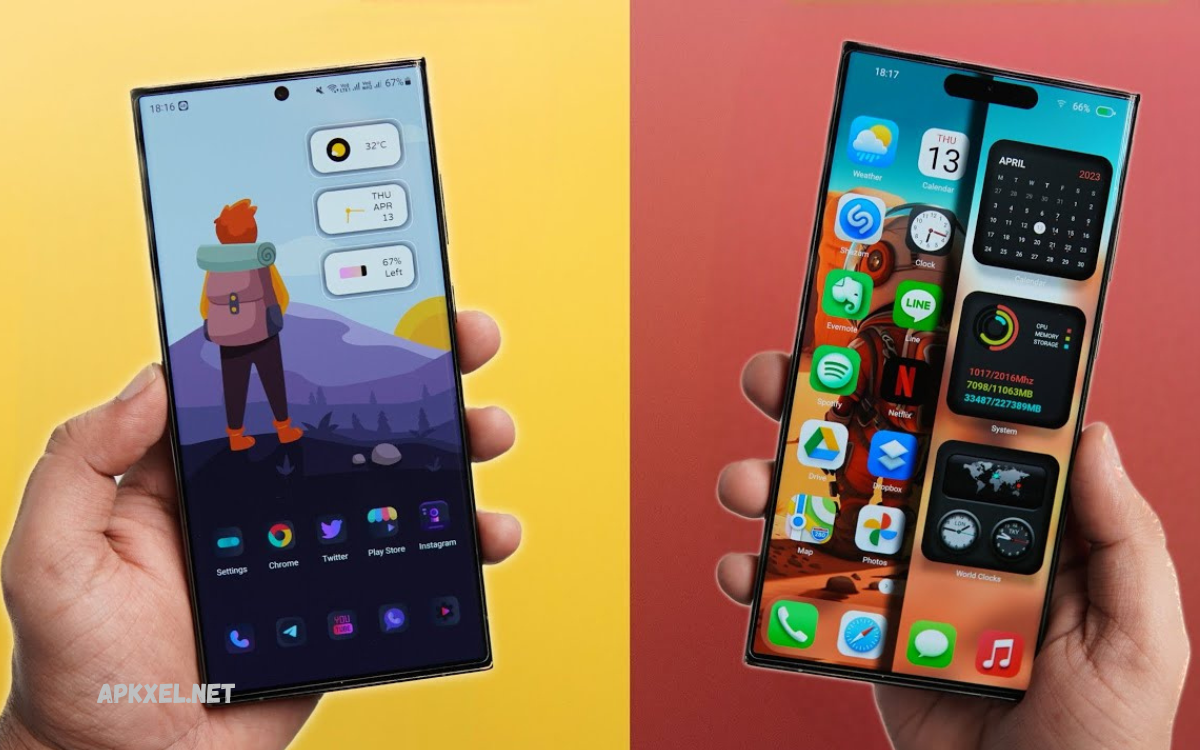
Your smartphone is more than just a communication device; it’s a reflection of your personality and lifestyle. Android stands out from other operating systems because it offers complete freedom to customize almost every aspect of your phone.
This is where the best Android customization apps come in. These powerful tools allow users to redesign their phone interfaces without needing advanced technical skills. You want a minimalist setup, a futuristic look, or a vibrant aesthetic; customization apps offer endless creative possibilities.
Why Android Customization Matters?
Customization improves user experience in many ways. It is not only about looks but also usability.
Key benefits include:
- Better visual design
- Faster access to apps
- Improved productivity
- Personalized themes
- Unique home screen layout
- Reduced clutter
- Enhanced user satisfaction
Android users prefer customization because it gives control over how the device feels and works daily.
Nova Launcher – Powerful Home Screen Control
Nova Launcher is one of the most popular tools for Android customization. It replaces default home screen and gives full control over design.
Key Features:
- Custom grid layout
- Icon pack support
- Gesture controls
- Smooth animations
- Dark mode customization
- App drawer customization
Nova Launcher is perfect for users who want clean, fast, and highly customizable interface.
Why it stands out:
It offers balance between performance and design flexibility. Even low-end devices run smoothly.
KWGT Kustom Widget Maker – Advanced Widget Design
KWGT allows users to create custom widgets from scratch. It is ideal for advanced personalization.
Key Features:
- Fully editable widgets
- Clock, weather, battery widgets
- Live data integration
- Custom fonts and shapes
- XML based design system
Usage idea:
Users can design minimal home screens with time, date, and battery widgets in unique styles.
KWGT is essential for users who want creative control over widget design.
Microsoft Launcher – Smart Productivity Setup
Microsoft Launcher is focused on productivity and organization. It also supports deep customization.
Key Features:
- Personalized feed dashboard
- Custom wallpapers and themes
- App organization
- Calendar and task integration
- Gesture navigation
Why use it:
It combines customization with productivity tools, ideal for business users and students.
Read Also: How to Update APK: Complete Guide for Safe and Successful APK Updates
Zedge – Wallpapers and Ringtones Hub
Zedge is one of the largest platforms for wallpapers and ringtones.
Key Features:
- HD wallpapers
- Live wallpapers
- Ringtones and notification sounds
- Daily updated content
- Search-based categories
Why it is popular:
It provides endless visual content for users who like to change their phone’s appearance frequently.
Icon Pack Studio – Create Custom Icons
This app allows users to design custom icon packs.
Key Features:
- Icon editing tools
- Shape and color customization
- Template library
- Export to launchers
- Easy interface
Benefit:
Users can match icons with wallpapers and themes for complete visual harmony.
KLWP Live Wallpaper Maker – Dynamic Backgrounds
KLWP helps create interactive and animated home screen wallpapers.
Key Features:
- Real time animations
- Weather and data integration
- Custom layouts
- Scroll effects
- Touch interactions
Why it is powerful:
It turns static home screens into dynamic live experiences.
Smart Launcher 6 – Minimal and Intelligent Design
Smart Launcher is designed for simplicity and speed.
Key Features:
- Auto app categorization
- Clean interface
- Custom themes
- Adaptive icons
- Fast search function
Best for:
Users who prefer minimal design with smart organization.
Walli – Artist-Based Wallpapers
Walli provides creative wallpapers designed by artists worldwide.
Key Features:
- High quality artistic wallpapers
- Unique designs
- Artist support system
- Daily updates
- Category filtering
Why choose Walli:
It offers exclusive creative wallpapers not found in standard apps.
Backdrops – Modern Wallpaper Collection
Backdrops offers a large collection of modern and stylish wallpapers.
Key Features:
- Daily exclusive wallpapers
- Community uploads
- Minimal design collection
- High resolution images
- Easy navigation
Best use:
Ideal for users who want fresh and modern home screen backgrounds.
Hex Installer – Samsung Theme Customization
Hex Installer is designed for Samsung devices.
Key Features:
- Deep theme customization
- System UI changes
- Color control
- Font styling
- Advanced interface control
Why it is special:
It provides system-level customization not available in normal apps.
How to Choose the Best Android Customization Apps
Choosing the right app depends on the user’s needs.
For beginners:
- Nova Launcher
- Zedge
- Smart Launcher
For advanced users:
- KWGT
- KLWP
- Icon Pack Studio
For productivity:
- Microsoft Launcher
For design lovers:
- Walli
- Backdrops
Tips for Better Phone Customization
- Keep design simple for better speed
- Match icon packs with wallpaper
- Use minimal widgets for clean look
- Avoid too many live effects on low devices
- Update apps regularly for new features
Future of Android Customization
Android customization is evolving fast. Future apps will include:
- AI-based theme creation
- Auto layout optimization
- Smart adaptive widgets
- Voice-controlled UI changes
- More system-level control
Users will soon be able to fully design a phone interface automatically using AI tools.
Frequently Asked Questions
Which app is best for beginners?
Nova Launcher and Zedge are best for beginners because they are easy to use and offer quick customization without technical skills.
Can I customize icons on Android?
Yes, apps like Icon Pack Studio and Nova Launcher allow full icon customization, including shape, color, and style changes.
What is KWGT used for?
KWGT is used to create custom widgets such as clocks, weather displays, battery indicators, and personalized home screen layouts.
Is KLWP safe to use?
Yes, KLWP (Kustom Live Wallpaper) is safe if downloaded from the Google Play Store and used with trusted preset files.
Can I change my Android theme completely?
Yes, with launchers and apps like Hex Installer (for Samsung devices), you can completely change themes, icons, fonts, and UI design.
Do customization apps require root access?
No, most modern Android customization apps work without root access and are safe for all users.
Which customization app gives the most unique look?
KLWP and KWGT combined give the most unique and creative home screen designs with fully custom layouts and animations.
Conclusion
The Best Android Customization Apps to Personalize Your Phone Experience allow users to fully transform their smartphones. From launchers and widgets to wallpapers and icon packs, Android offers unlimited creative freedom.
Whether you want a minimal setup or an advanced, futuristic design, these apps provide all the tools you need to build a unique mobile experience.
