

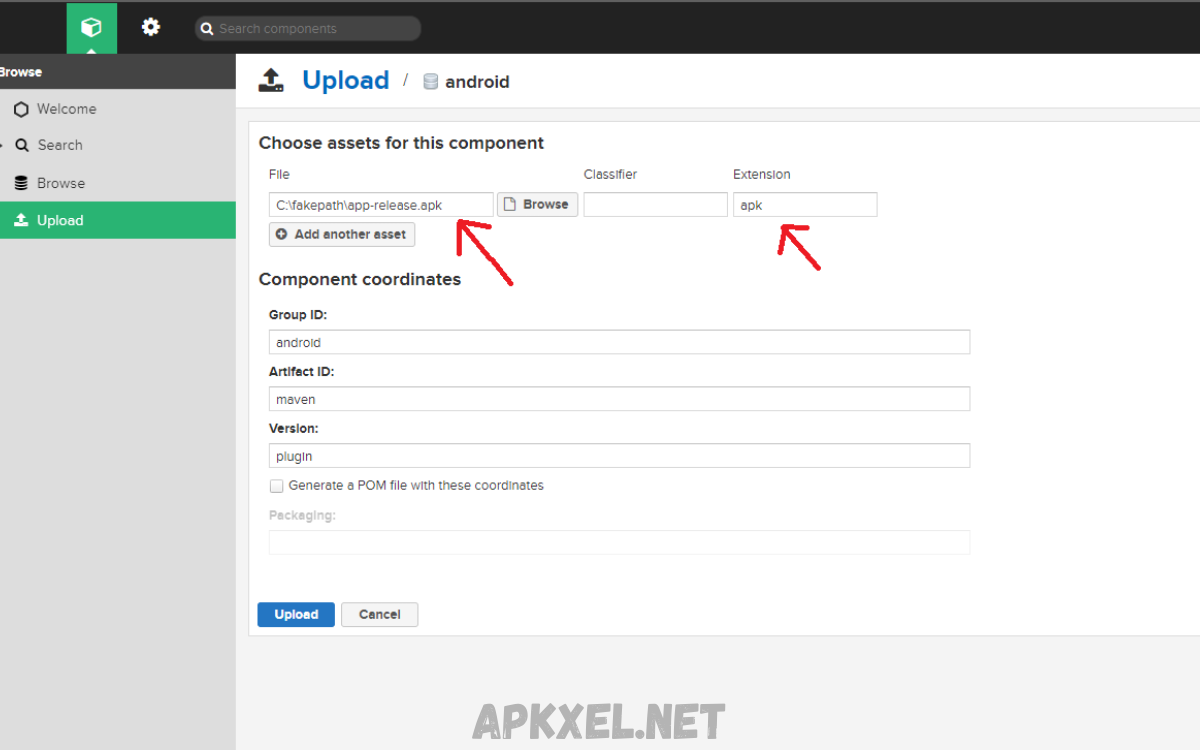
In the rapidly expanding world of mobile applications, efficient distribution and management of Android apps has become essential. An APK repository serves as a centralized platform for storing, organizing, and distributing Android Package (APK) files, which contain all necessary components for app installation. APK repositories provide developers, enterprises, and advanced users with structured access to applications, ensuring version control, security, and seamless deployment.
For developers, APK repositories simplify the process of testing and releasing updates, allowing multiple versions of an application to coexist and enabling easy rollback to previous builds if issues arise. Enterprises leverage private repositories to deploy proprietary applications internally, maintaining control over access, device compatibility, and distribution schedules.
Understanding APK Repository
An APK repository serves as a centralized storage system for APK files. APK, standing for Android Package Kit, contains executable code, resources, and metadata required for app installation on Android devices. Repositories provide structured environments to host APKs, categorize them, and facilitate secure download and installation.
Core Functions
- Hosting: Store APK files with version control, metadata, and dependencies.
- Distribution: Enable users or devices to access APKs efficiently.
- Version Management: Track updates, previous releases, and changes for smooth rollbacks.
- Security: Verify signatures, scan for malware, and ensure integrity of APK files.
- Analytics: Track download counts, device compatibility, and user interactions.
An APK repository can target multiple audiences, including developers testing applications, enterprises deploying apps internally, or users seeking apps outside official stores.
Types of APK Repository
Several forms of APK repositories exist, each tailored to specific needs:
Public APK Repositories
Public repositories allow broad access to APK files. Examples include platforms where users can download apps unavailable in certain regions or apps removed from official stores. Public repositories enhance accessibility but require careful verification due to potential security risks.
Private APK Repositories
Private repositories cater to organizations deploying proprietary applications. Enterprises often need controlled distribution for internal tools, beta testing, or enterprise resource planning apps. Private APK repositories integrate authentication, access control, and device management systems.
Hybrid APK Repositories
Hybrid models combine public and private features, offering selective access to certain APKs while allowing public access to others. This approach balances accessibility, security, and distribution efficiency.
Benefits of Using an APK Repository
Implementing an APK repository provides multiple advantages for developers, enterprises, and users:
Centralized Management
A centralized repository simplifies organization, updates, and version control. Developers no longer rely solely on email distribution, cloud storage links, or third-party websites. All APK files reside in a structured, searchable environment.
Enhanced Security
Repositories can enforce signature verification, malware scanning, and permission checks. Enterprises benefit from reduced risk of malicious APKs infiltrating devices.
Version Control and Rollback
Tracking multiple versions of an application prevents conflicts and allows users to revert to previous releases when updates introduce bugs or incompatibilities.
Improved Distribution Efficiency
Repositories reduce latency and simplify installation processes. Users download APKs directly from secure servers, bypassing unofficial channels.
Analytics and Monitoring
Repositories provide actionable data, including installation metrics, device compatibility, and download trends. This intelligence guides development, updates, and marketing strategies.
Read Also: Fast APK Download – Safe, Reliable, High-Speed App Access
Key Features of a Professional APK Repository
For developers or organizations aiming to deploy a professional APK repository, certain features ensure reliability and usability:
- Structured Storage: Clear organization by app name, version, platform, and release type.
- Secure Access Control: Authentication, role-based permissions, and encryption.
- Automatic Updates: Notifications and automated push for new releases.
- Compatibility Checks: Ensure APK supports specific Android versions and device models.
- Reporting Tools: Detailed reports on downloads, errors, and installations.
- Integration Support: APIs for continuous integration, testing platforms, and enterprise systems.
Security Considerations
Security remains critical when dealing with APK files. Repositories must implement multiple safeguards:
Signature Verification
APK files carry digital signatures ensuring integrity and origin authentication. Repositories should enforce signature validation before distribution.
Malware Scanning
Automated malware scanning prevents distribution of harmful applications. Integration with antivirus engines and sandbox testing enhances protection.
Access Control
Restricting access to trusted users prevents unauthorized downloads or modifications. Enterprise repositories often implement Single Sign-On (SSO) and multi-factor authentication.
Data Encryption
Encrypting APK files during transit and at rest protects sensitive code and user data from interception or tampering.
Setting Up an APK Repository
Organizations or developers can establish APK repositories using different approaches:
Using Existing Repository Platforms
Platforms like GitHub, GitLab, and private cloud solutions support APK storage, versioning, and limited distribution. These solutions offer convenience but may require additional configuration for security.
Enterprise Repository Solutions
Professional tools, including Artifactory and Nexus Repository, provide enterprise-grade APK management. They integrate version control, metadata handling, and automated deployment pipelines.
Custom Repository Development
Developers may build custom solutions tailored to unique needs. This approach allows full control over storage, security, analytics, and distribution workflows. Technologies commonly used include cloud storage, APIs for distribution, and content delivery networks (CDNs) for optimized download speeds.
Best Practices for APK Repository Management
Effective management ensures repository longevity, security, and usability:
- Regular Updates: Maintain current versions and remove outdated APKs.
- Structured Naming Conventions: Consistent naming helps identify versions, build type, and release date.
- Metadata Inclusion: Include app description, permissions, and change logs for user clarity.
- Access Logging: Track who downloads, uploads, or modifies APKs.
- Continuous Testing: Test APKs in controlled environments before distribution.
Popular APK Repositories
While official repositories like Google Play dominate the market, alternative APK repositories exist for specific use cases:
- APKMirror: Offers verified APK files with extensive version history.
- Aptoide: Supports community-driven app distribution and store creation.
- F-Droid: Focuses on free, open-source Android applications.
- Private Enterprise Repositories: Customized internal platforms for secure APK distribution.
These repositories highlight flexibility and community-driven innovation while emphasizing security, verification, and ease of access.
Future Trends in APK Repository Management
The evolution of mobile ecosystems drives repository innovation:
- Automated Updates and CI/CD Integration: Repositories integrate with continuous integration pipelines, automating testing, signing, and deployment.
- Enhanced Security Protocols: Blockchain-based verification and AI-powered malware detection improve trust.
- Cross-Platform Distribution: APK repositories may evolve to distribute apps for multiple platforms, bridging gaps between Android, HarmonyOS, and other ecosystems.
- Cloud-Native Repositories: Serverless architectures reduce infrastructure overhead while improving scalability and availability.
Frequently Asked Questions
What is an APK repository?
An APK repository is a centralized platform for storing, organizing, and distributing Android Package (APK) files, enabling version control, secure access, and efficient deployment.
Why use an APK repository?
APK repositories simplify app distribution, enhance security, track versions, provide analytics, and allow controlled access for developers, enterprises, and advanced users.
What types of APK repositories exist?
There are three main types: public repositories (open access), private repositories (internal use), and hybrid repositories (mix of public and private access).
How does an APK repository ensure security?
Repositories verify digital signatures, perform malware scanning, implement access control, and encrypt APK files to prevent unauthorized use or tampering.
Can APK repositories manage multiple versions of an app?
Yes, they track version history, enabling updates, rollbacks, and compatibility checks across different Android devices.
Are APK repositories legal?
Yes, hosting and distributing APKs legally is permitted when developers own the app or have rights to distribute it. Using or downloading pirated APKs is illegal.
What are popular APK repositories?
Examples include APKMirror, Aptoide, F-Droid, and private enterprise repositories for internal app deployment.
Conclusion
An APK repository is essential for efficient Android application management. It offers centralized hosting, secure distribution, version control, analytics, and streamlined deployment processes. For developers, enterprises, and advanced users, repositories enhance accessibility, security, and operational efficiency.
Choosing the right repository type public, private, or hybrid depends on goals, security requirements, and target audience. Implementing best practices ensures sustainable repository management and improves user trust.
